

Clients can send personalized offers to creators that we have carefully selected for them. Creators can respond to these offers by either accepting, declining, or initiating negotiations.Documentation Index
Fetch the complete documentation index at: https://docs.byo.do/llms.txt
Use this file to discover all available pages before exploring further.
Sending an Offer
This feature is exclusively for Clients
Selecting a Creator
From the list of chosen creators, click ‘Create Offer’ for the individual you wish to send an offer to.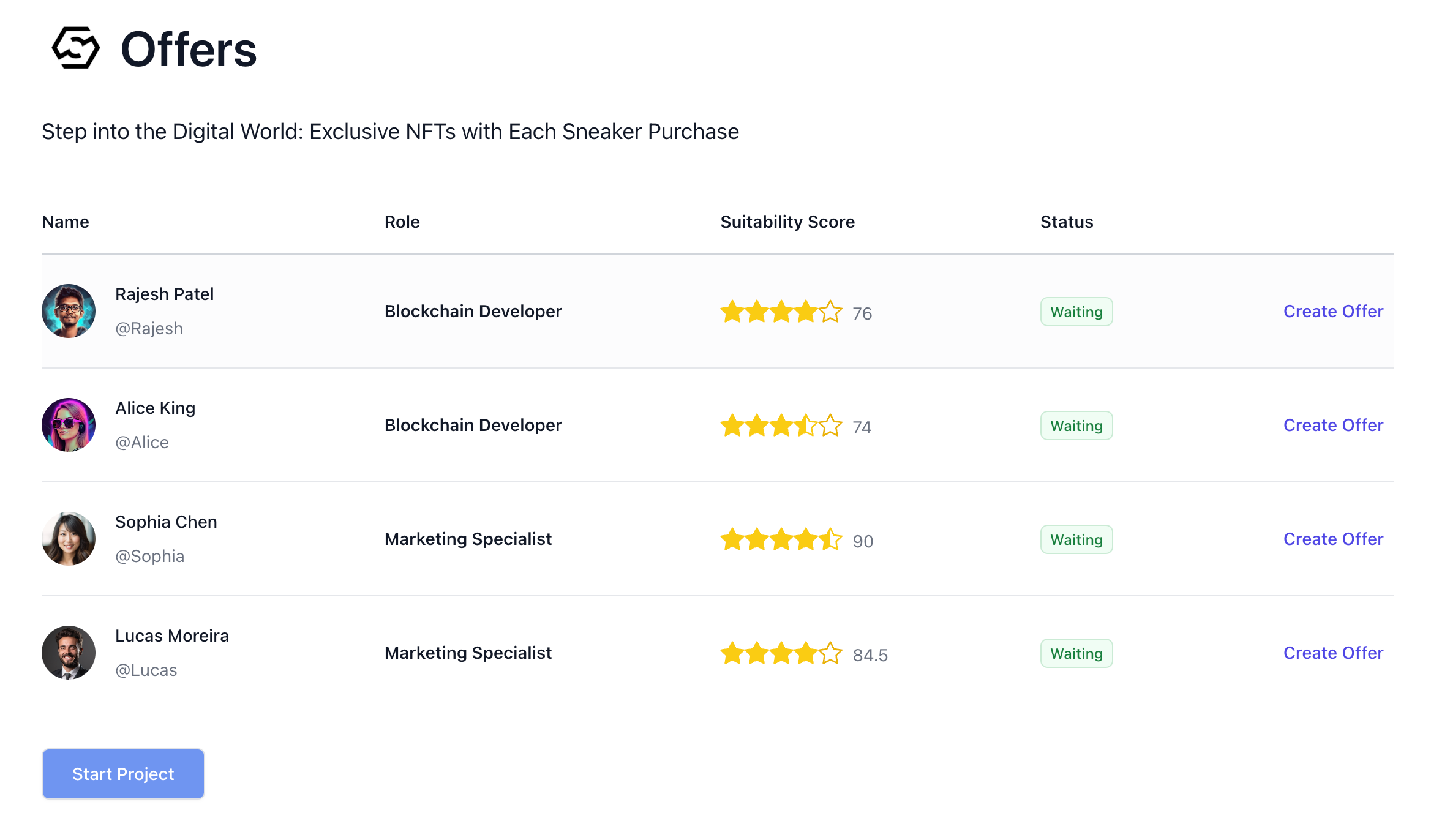
| Property | Description |
|---|---|
| Name | Full name of creator |
| Role | Role of creator |
| Suitability Score | Score indicating how suited the creator is for the project. |
| Status | Offer Status. waiting, offer sent, review, accepted, or declined |
Creating an Offer
View Offer form
View Offer form
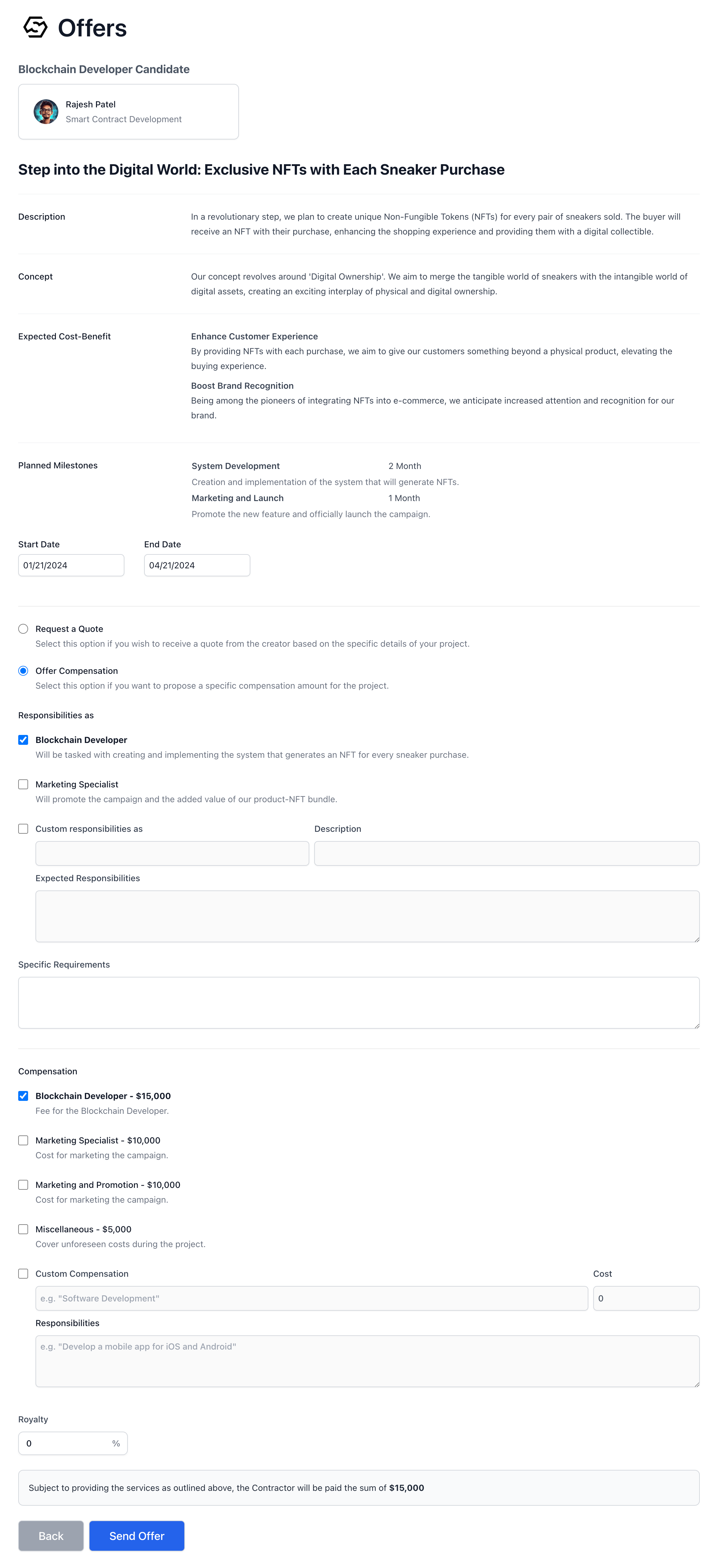
Reviewing Project Information
Upon reaching the offer screen, you’ll see a review of the information you’ve registered for your project. This includes:- Description: The project’s scope and goals.
- Concept: The underlying idea and approach of your project.
- Expected Cost-Benefit: The anticipated value and return on investment.
- Planned Milestones: Key phases and goals for project completion.
Defining the Engagement Period
The Start Date and End Date fields define when the creator’s involvement in the project begins and ends, providing clear expectations for the project timeline.Outlining Responsibilities
Under “The expected role and responsibilities” you’ll specify the role and responsibilities expected of the creator. You can select from predefined roles or define custom responsibilities, detailing the expectations and specific duties associated with the position.Setting Compensation
You have two options for setting the compensation terms:- Request a Quote: If you prefer the creator to provide a cost estimate based on the project details.
- Offer Compensation: If you wish to propose a set amount, either from the pre-determined budget or by entering a custom figure.