
Documentation Index
Fetch the complete documentation index at: https://docs.byo.do/llms.txt
Use this file to discover all available pages before exploring further.
About Project
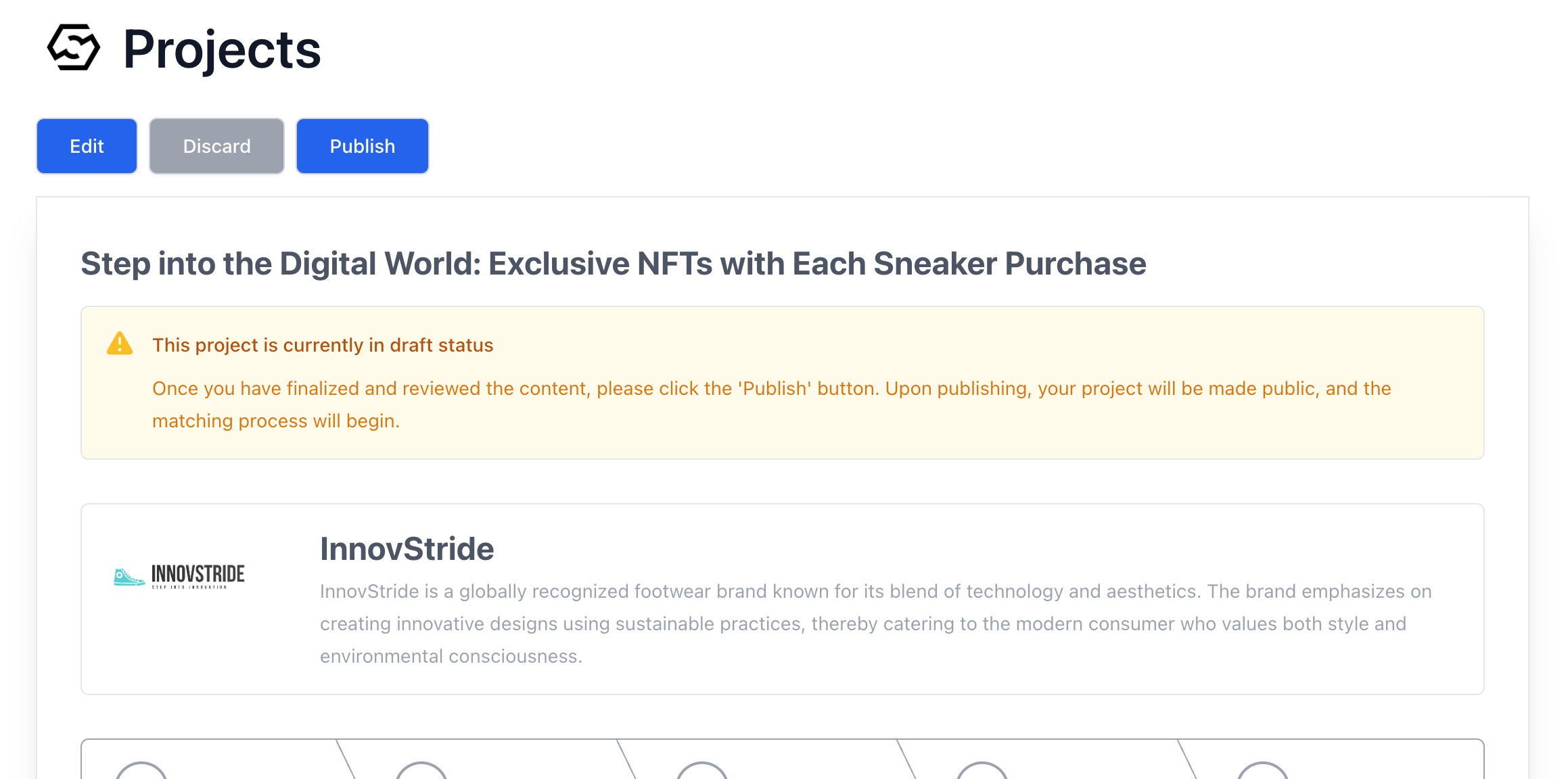
Our platform empowers creators and clients to bring their innovative projects to life. This guide will walk you through the process of creating a project from start to finish.View Project
View Project
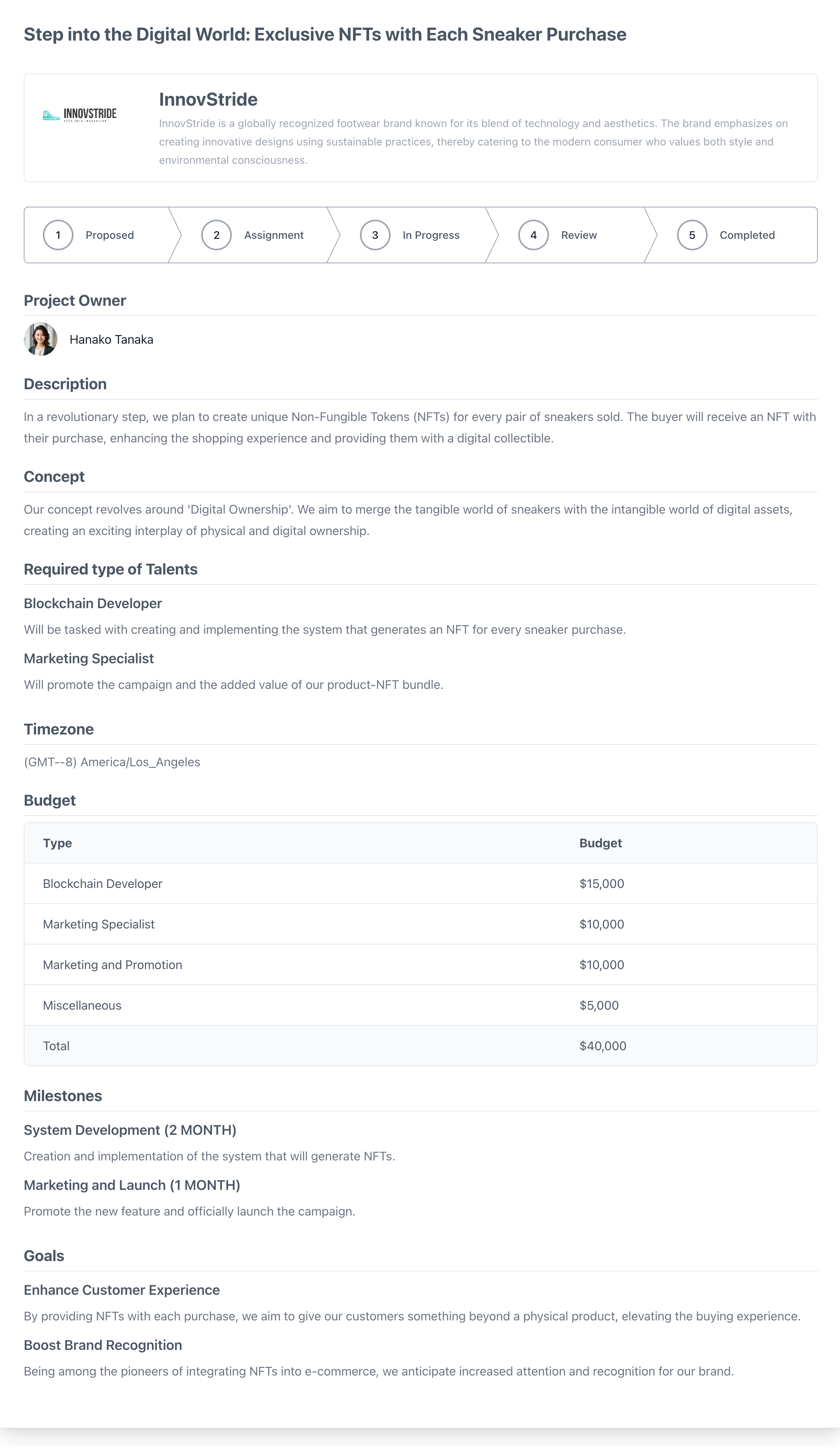
Creating a Project
This feature is exclusively for Clients
Interactive Mode
View Interactive Mode
View Interactive Mode
- Step-by-step, follow the prompts to input the necessary information for your project.
- After logging in, access the dashboard and click on ‘Start New Project.‘
Step 1: Title for Your Project
Begin by providing a clear and concise title for your project. This title should give a snapshot of what the project is about.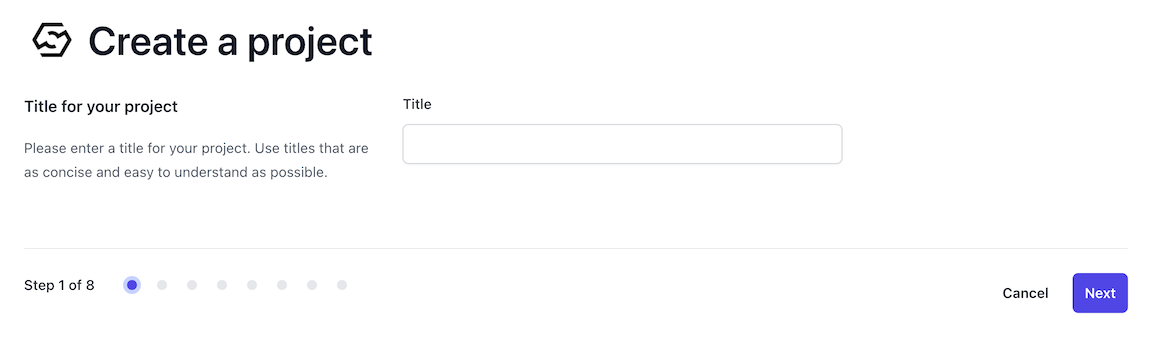
Step 2: Project Description
Describe your project in detail. Ensure clarity and conciseness, and outline the objectives and scope.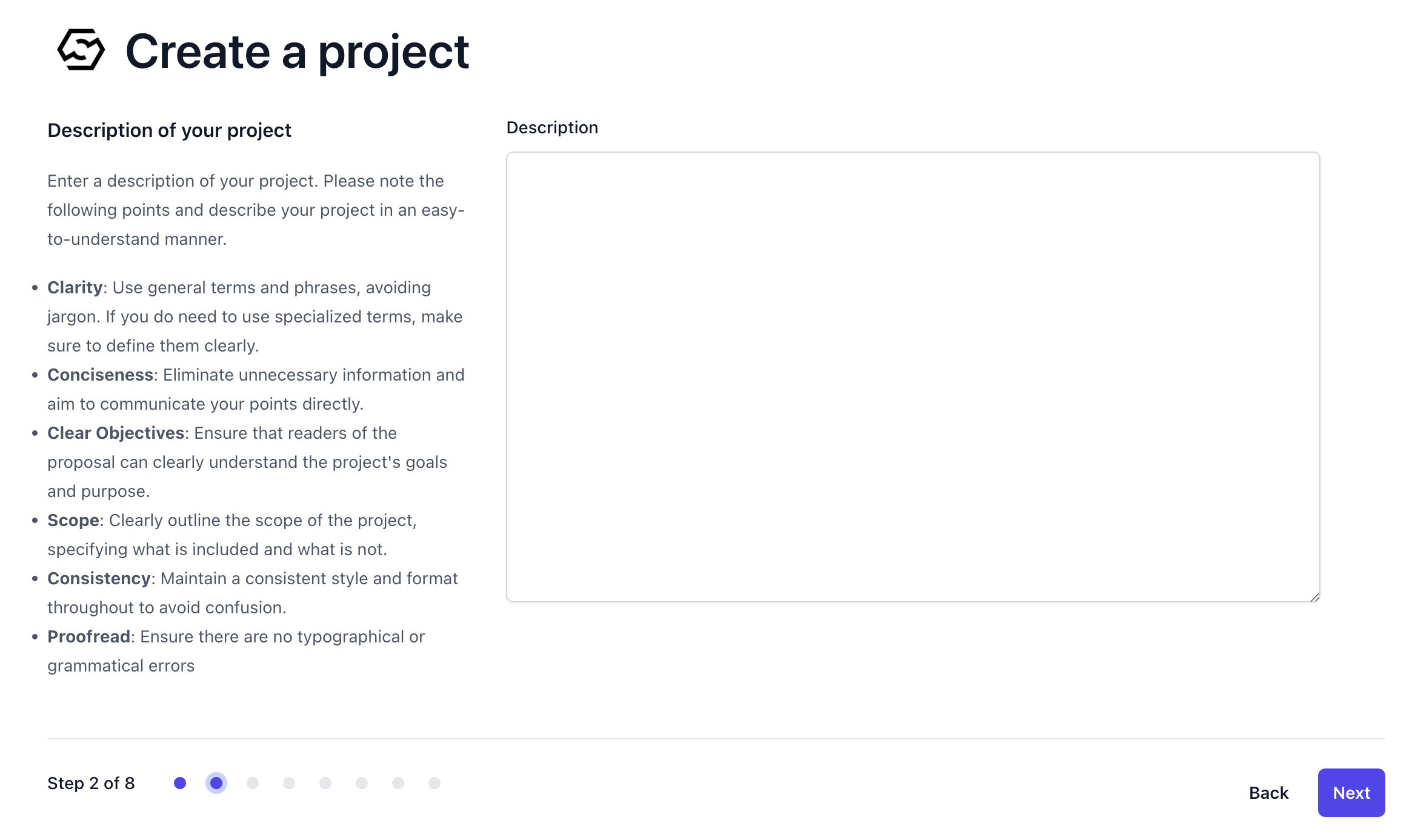
Step 3: Concept of Your Project
Articulate the unique concept of your project. Emphasize its clarity, simplicity, and how it stands out, making sure it aligns with the broader goals of your organization.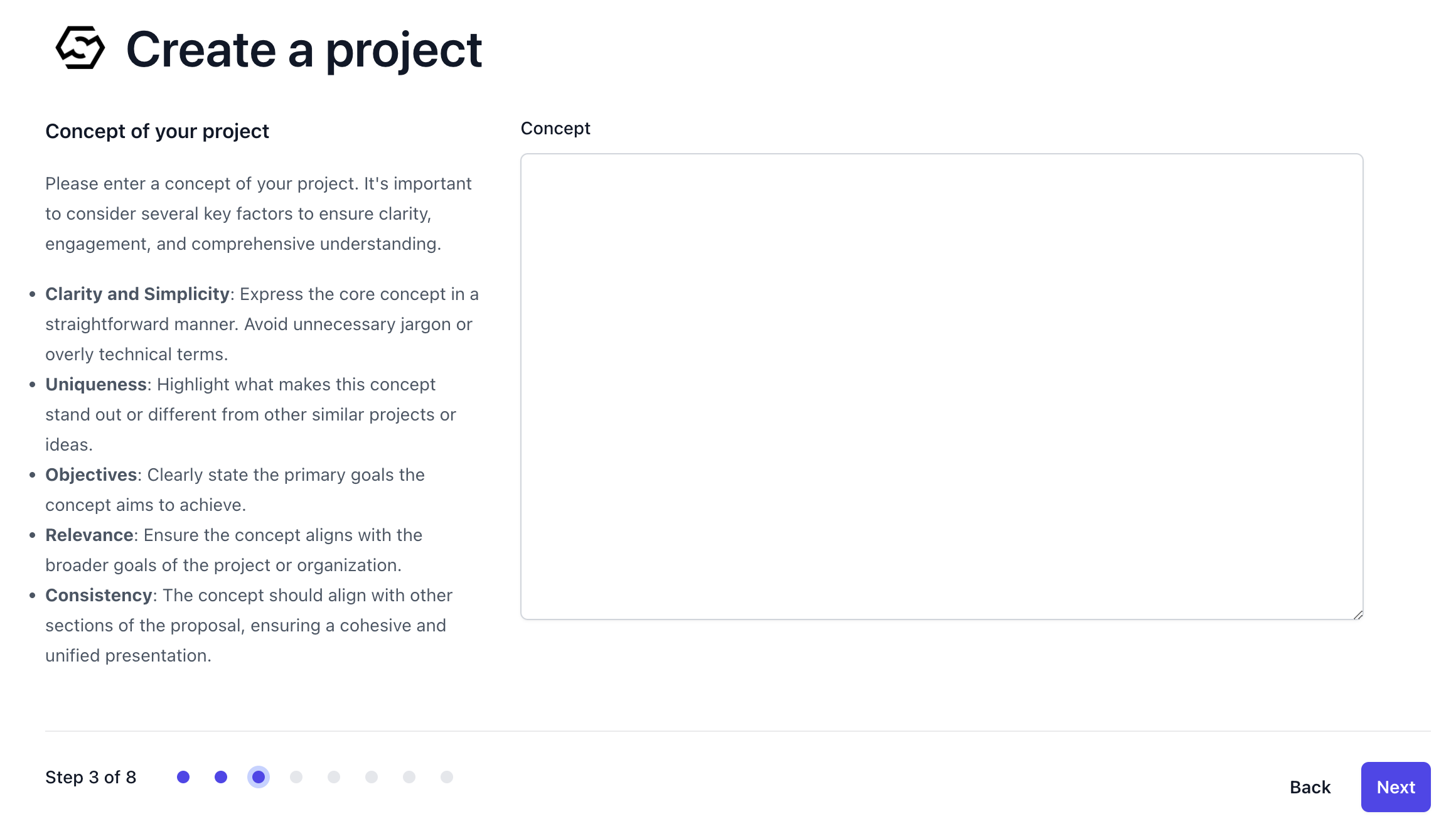
Step 4: Team Setup
Identify the roles and skills required for your project. Specify the level of experience needed and any soft skills or certifications that will contribute to the project’s success.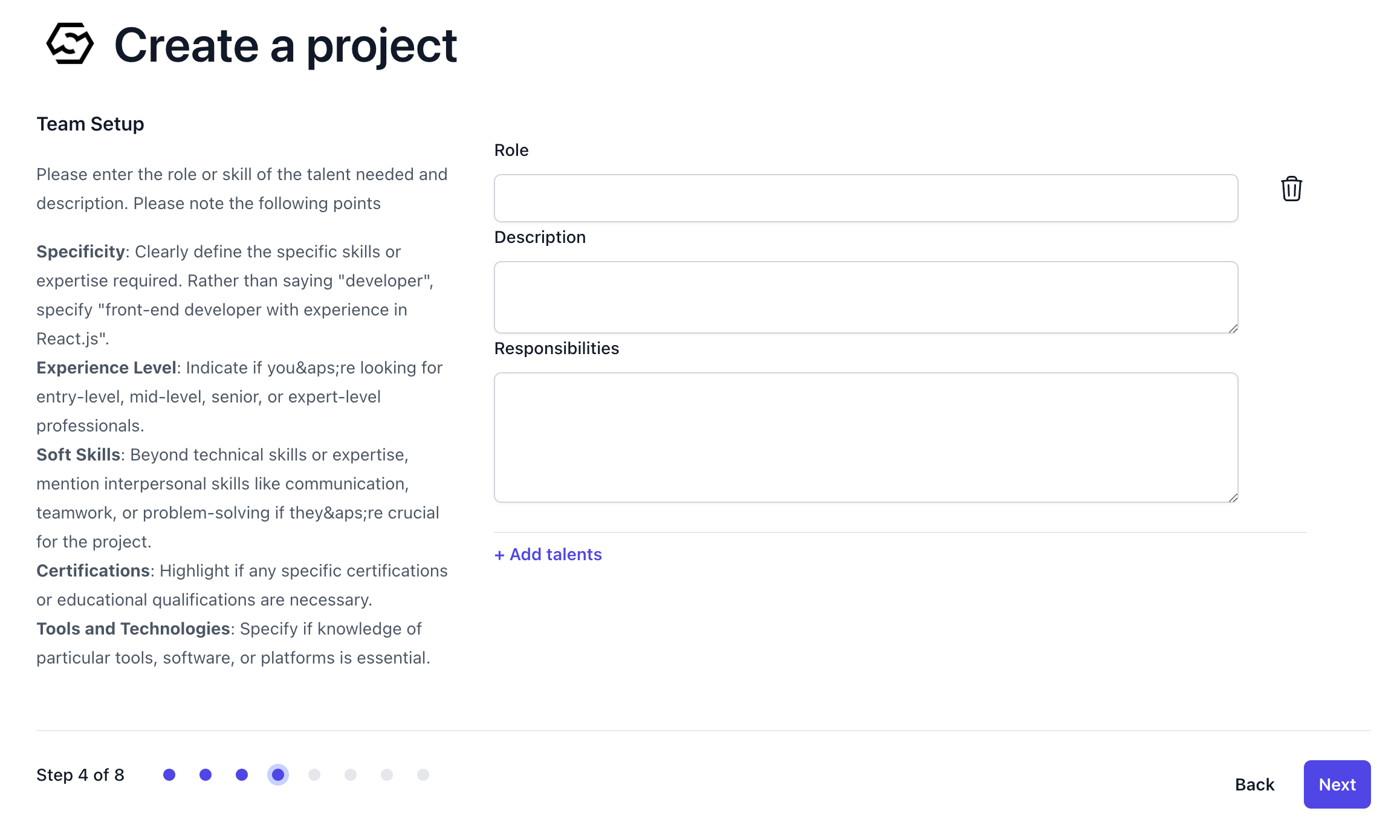
Step 5: Project Budget
Provide an itemized budget for your project, detailing each category of expenses to ensure transparency and accountability.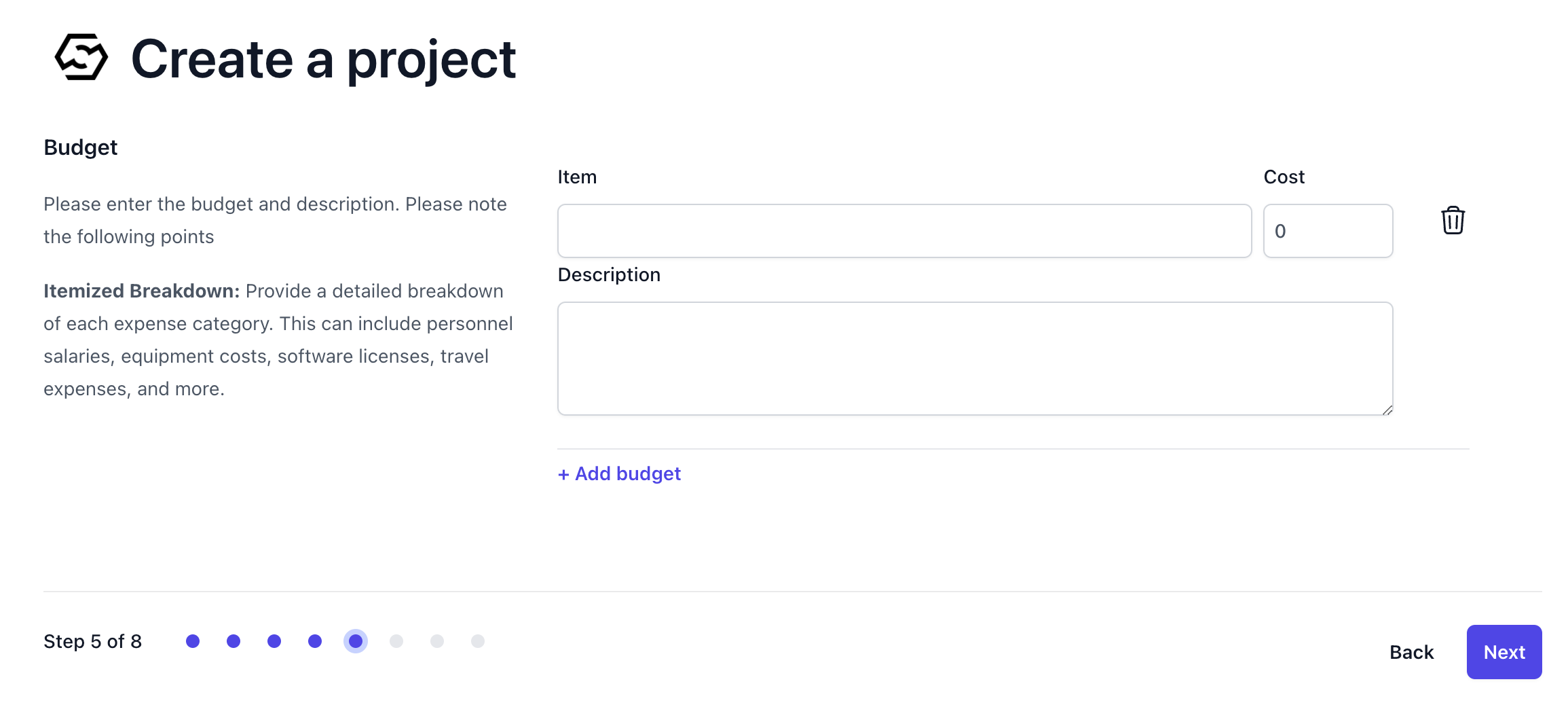
Step 6: Project Milestones
Set clear, measurable, and achievable milestones that align with your project’s timeline and deliverables.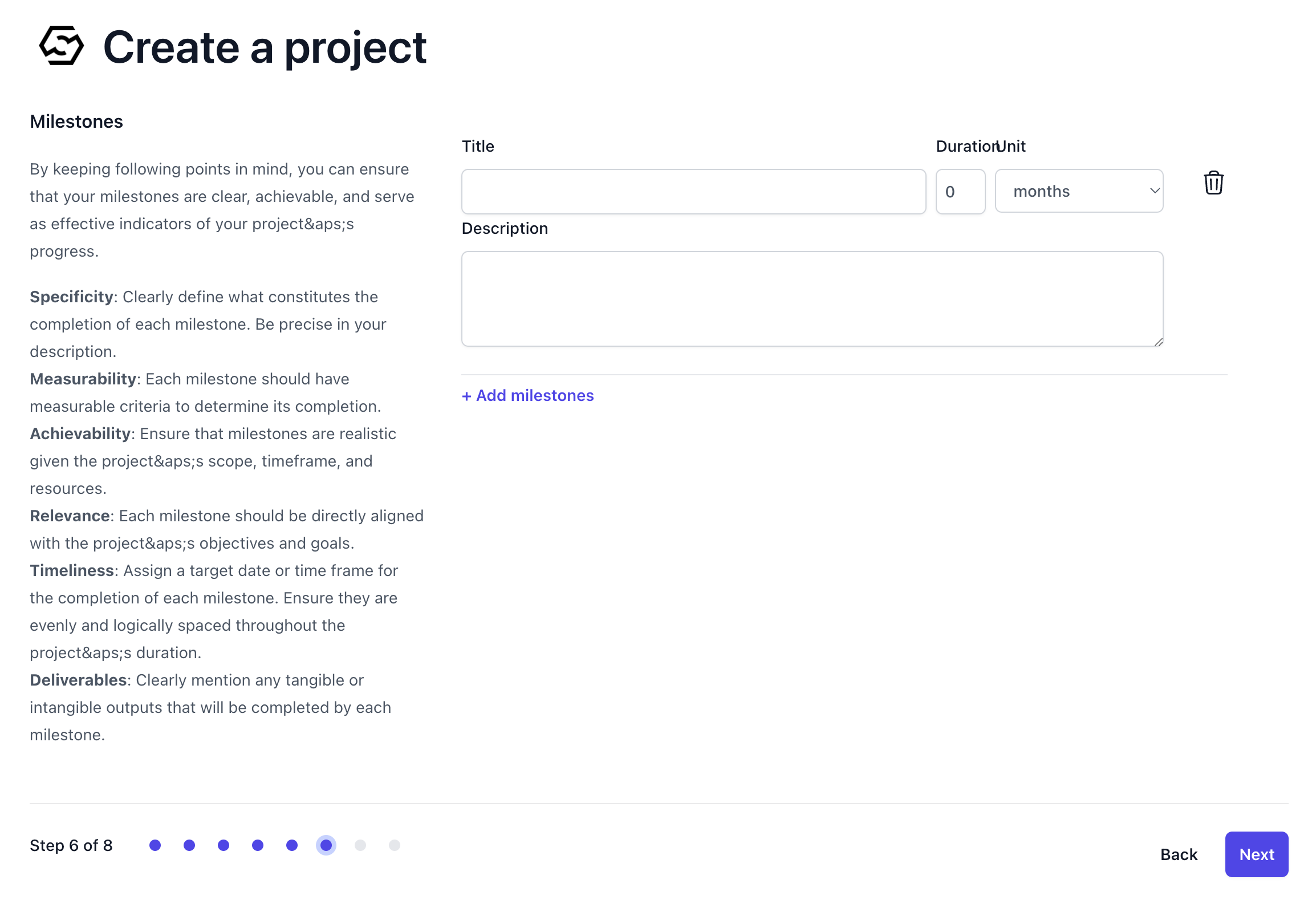
Step 7: Project Effects
Define the expected impacts and effects of your project. Be specific and use quantifiable metrics to describe anticipated outcomes.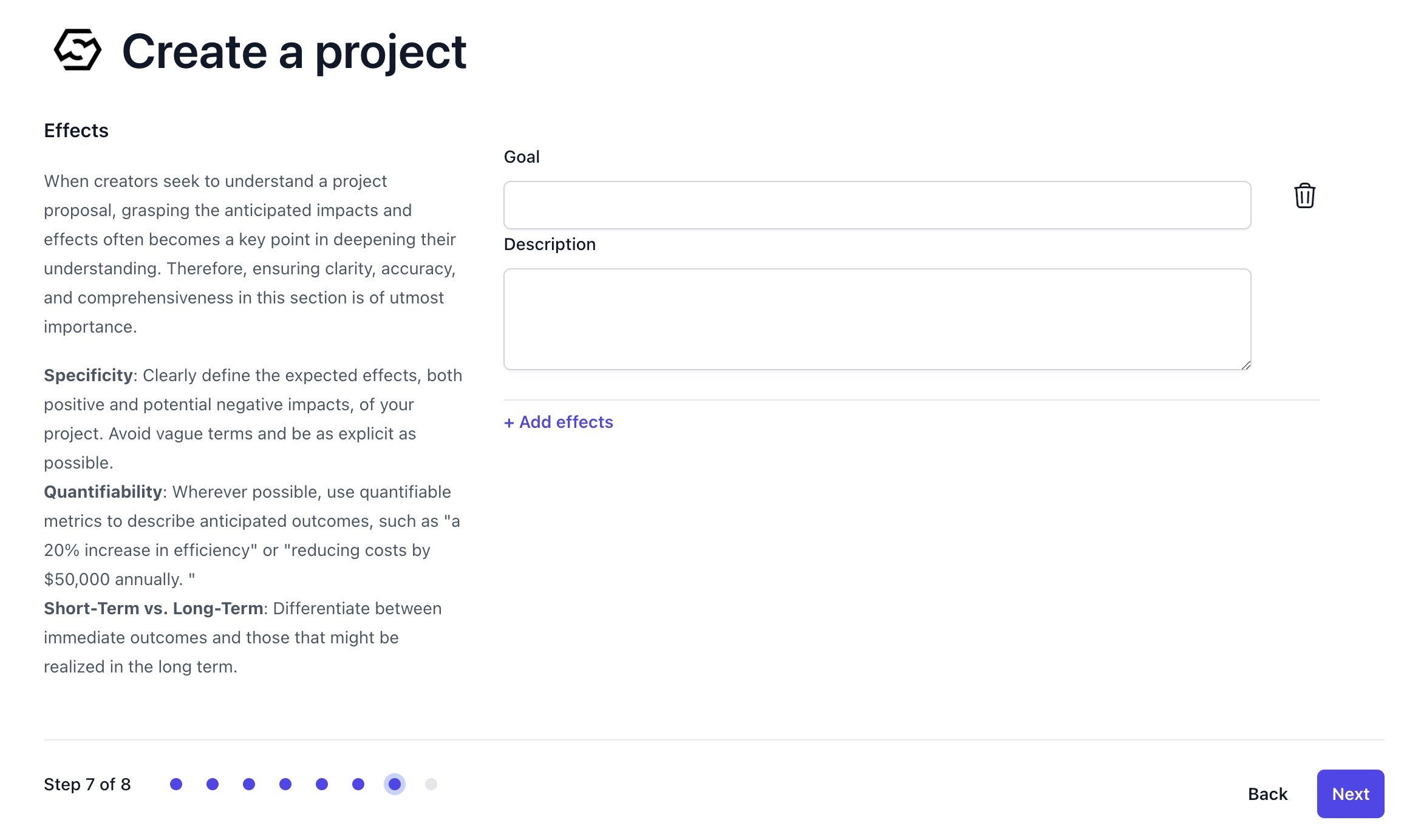
AI-Assisted Mode
Our service also offers an AI-assisted creation tool that simplifies the process. This innovative feature helps you structure your project plan from a simple vision into a detailed proposal.- Navigate to the “Projects” section from the left menu and click ‘Start new project’ and select
Generate with AIto start generating your project.
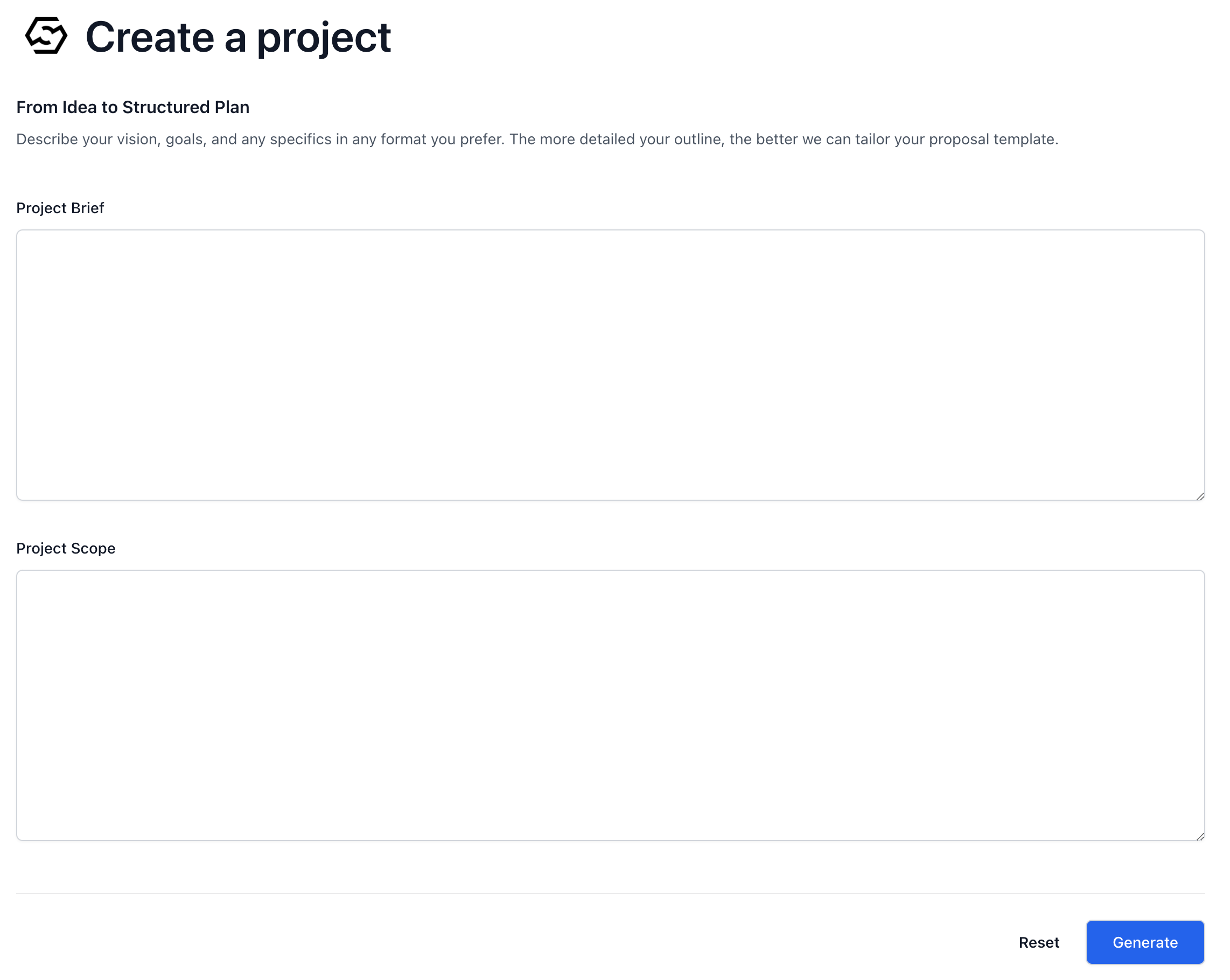
- Project Brief: In the ‘Project Brief’ section, input a comprehensive description of your vision, goals, and any specifics of your project. The more details you provide, the more accurately our AI can generate a project proposal that meets your requirements.
- Project Scope: In the ‘Project Scope’ field, describe the parameters of your project. Outline what is included, the deliverables, and any limitations or exclusions.
Generating Your Proposal
Once you’ve filled out the brief and scope, click the ‘Generate’ button. The AI will process the information and create a project proposal that aligns with our service’s format, saving you time and effort. By leveraging this AI feature, you can swiftly move from ideation to a structured plan, ready for review and implementation. This tool is designed to enhance productivity and streamline the project creation phase for all our users.Project Specification Upload Mode
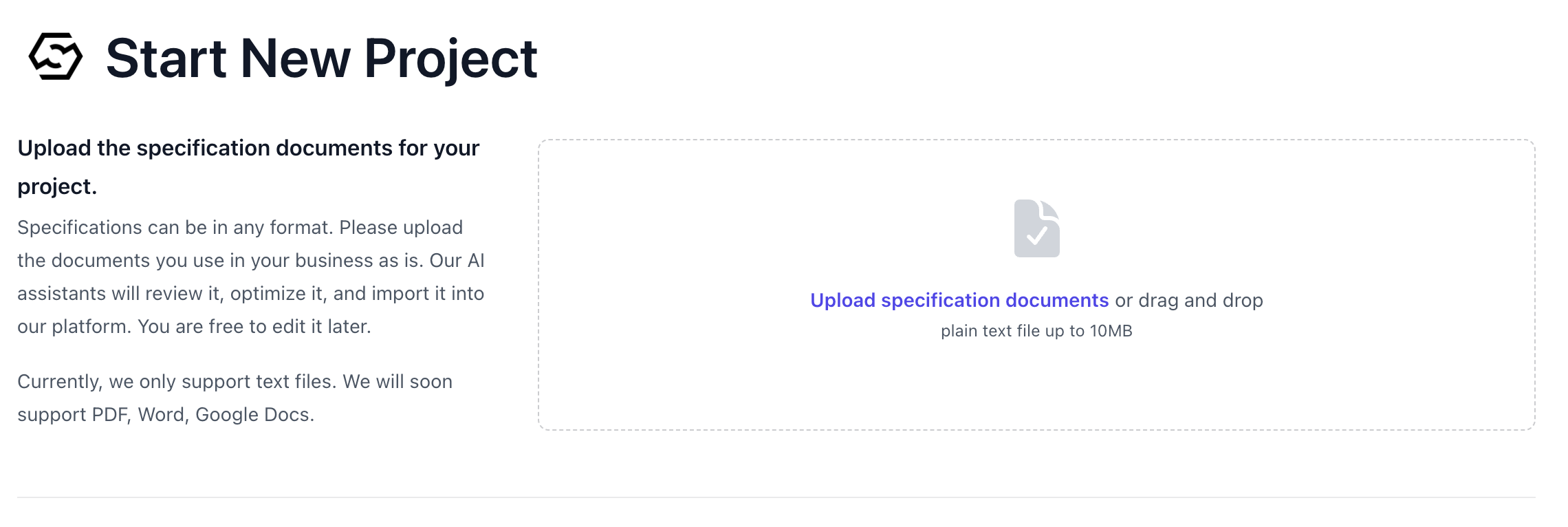
You can upload your project’s specification documents directly to our platform. Our AI technology reviews the content of these specifications and integrates them seamlessly into our platform. This means you can start with your existing project specifications, in any format, and our platform will do the rest.- Navigate to the “Projects” section from the left menu and click ‘Start new project’ and select
Upload & Importto start upload your project specification.
Supported Formats
- Current Support: At present, we support text files for uploading project specifications.
- Future Updates: We are working on expanding our support to include PDF and Docx formats. This update will allow for a broader range of document types to be uploaded, making the process more accessible to all users.
Format Flexibility
Our platform accepts project specifications in any descriptive format. There is no need to reformat your existing documents; simply upload them as they are. This flexibility ensures that you can move from planning to execution without the need for additional steps or conversions.Publish the Project
Once you have completed reviewing and refining your project, click the ‘Publish’ button to publish it.