Documentation Index
Fetch the complete documentation index at: https://docs.byo.do/llms.txt
Use this file to discover all available pages before exploring further.
Characters

Mia Rodriguez, Freelance Digital Artist and NFT Creator5 years of experiencein digital art, with a growing interest in the NFT space
over the last 18 months.

Alex Chen, Digital Innovation Manager at a Luxury Apparel Brand10 years in the fashion industry, with 2 years focused on digital transformation projects.

Ethan Reyes, Internal Review Team Member at StartupWith a knack for innovative strategies in startup environments, now enhancing Byodo’s internal review processes.
The Creative Quest
 Mia Rodriguez, a passionate and ambitious freelance digital artist, has always
sought to push the boundaries of her creativity. With 5 years of experience under
her belt and a keen interest in the burgeoning NFT space, Mia finds herself at a
crossroads. Despite her talent and dedication, the challenge of finding high-quality
projects that match her expertise remains daunting. Platforms she’s tried offer little
beyond low-paying gigs and projects that fail to inspire. In her heart, Mia yearns
for something more—projects that ignite her passion and showcase her unique abilities.
Mia Rodriguez, a passionate and ambitious freelance digital artist, has always
sought to push the boundaries of her creativity. With 5 years of experience under
her belt and a keen interest in the burgeoning NFT space, Mia finds herself at a
crossroads. Despite her talent and dedication, the challenge of finding high-quality
projects that match her expertise remains daunting. Platforms she’s tried offer little
beyond low-paying gigs and projects that fail to inspire. In her heart, Mia yearns
for something more—projects that ignite her passion and showcase her unique abilities.
The Initial Struggle
In her quest for meaningful work, Mia registers on several freelancing platforms. However, the lack of a strong track record on these new platforms means she’s often overlooked for premier projects. The frustration builds as she realizes that her portfolio and experience seem to vanish into the ether, unnoticed by potential clients who could benefit from her specialized skills in digital art and NFT creation.A New Horizon
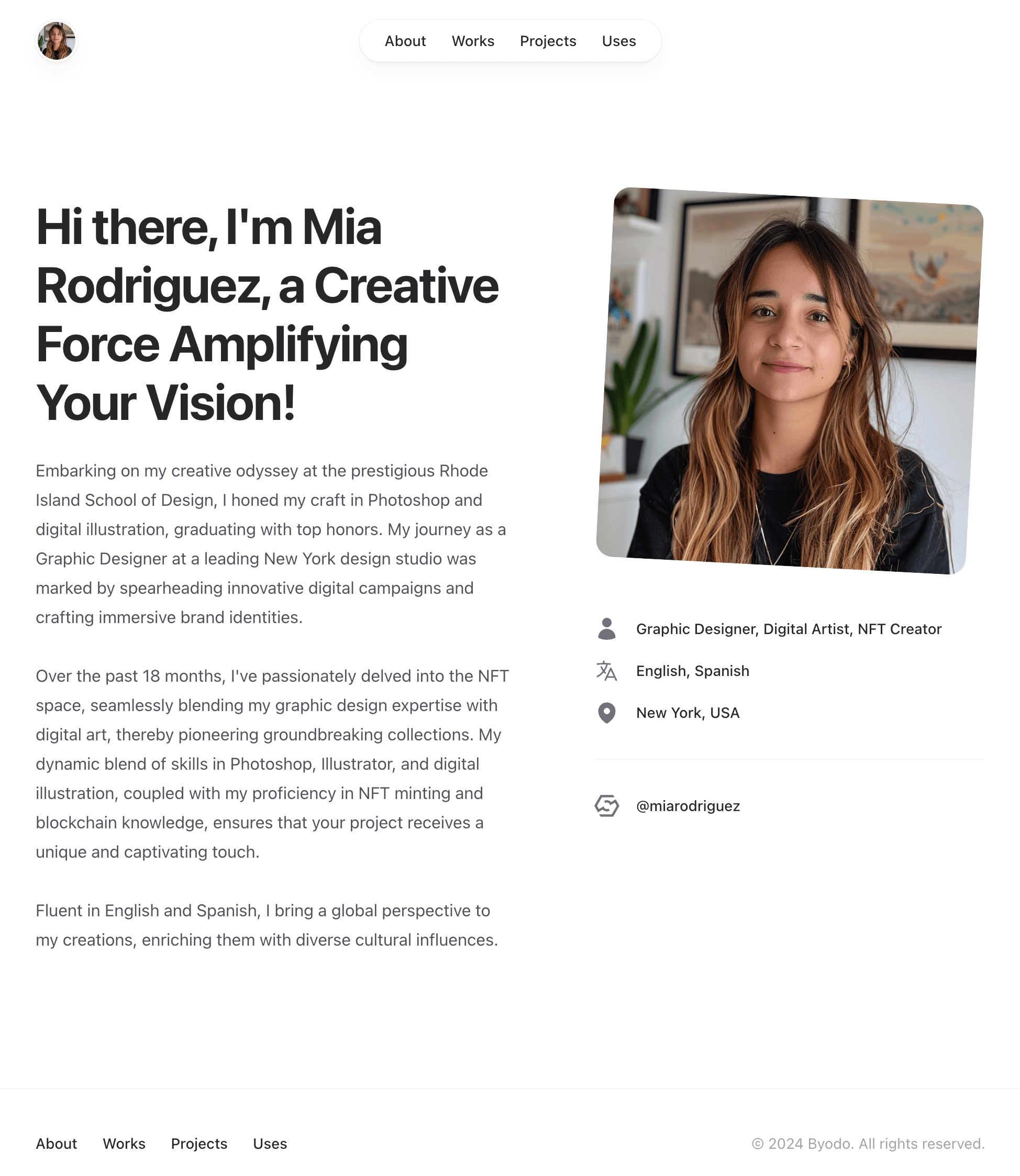
Refusing to be disheartened, Mia discovers Byodo, a platform that promises to connect digital creators with reputable brands. Intrigued, she decided to create a profile. To her surprise, the process was incredibly user-friendly. She easily uploaded her existing resume, instantly creating a polished portfolio. She adds screenshots of her past projects, hopeful that this new platform will be the key to unlocking the opportunities she seeks.
How to test
How to test
- Mia signs up as a creator in Byodo at https://byo.do/auth/register
- She sees a Welcome message.
- She presses
Startto proceed and is asked how to create a profile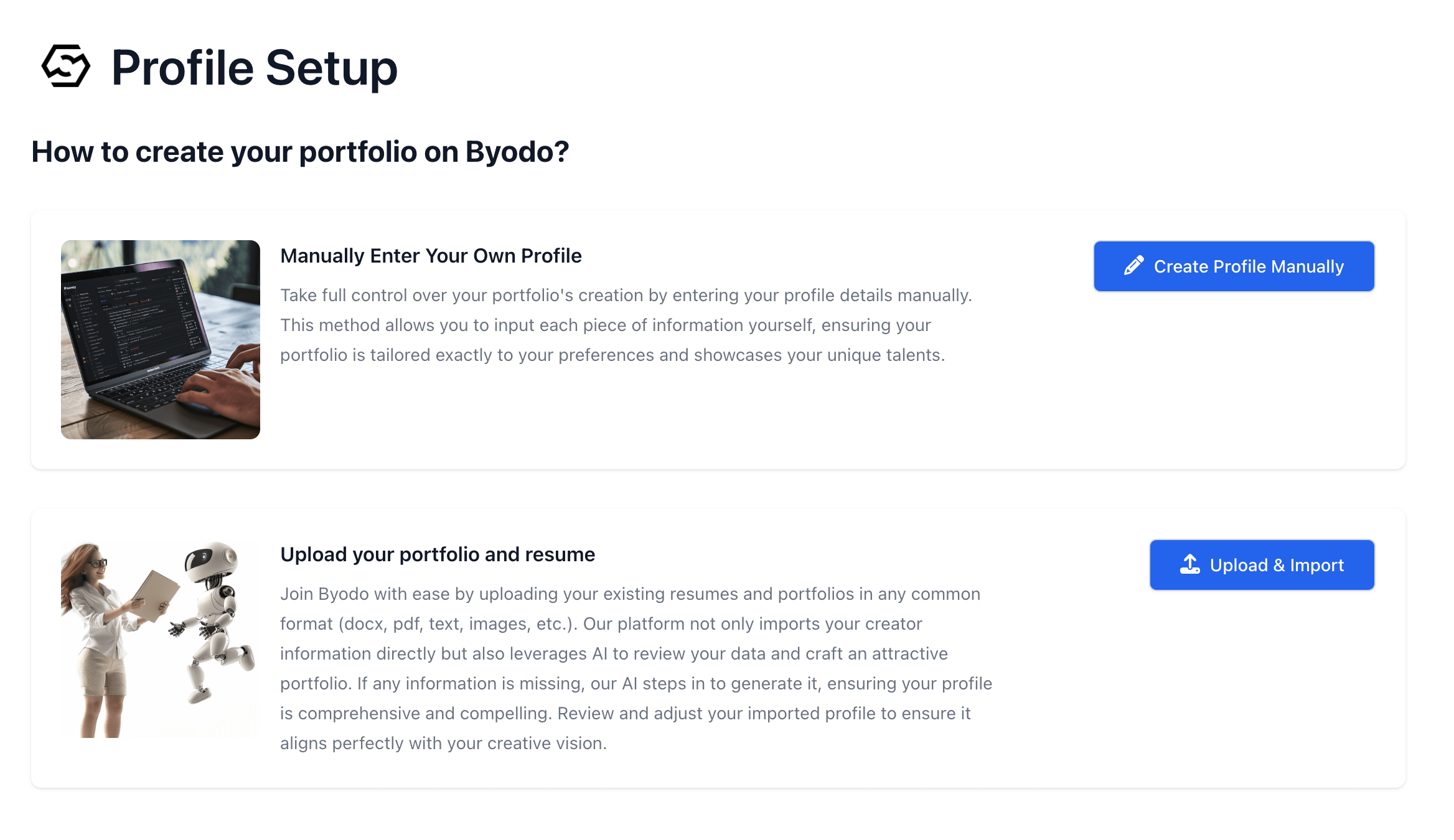
- She chooses to
Upload & Importher resume and uploads it Of course, she can also choose to enter the information manually, one by one.
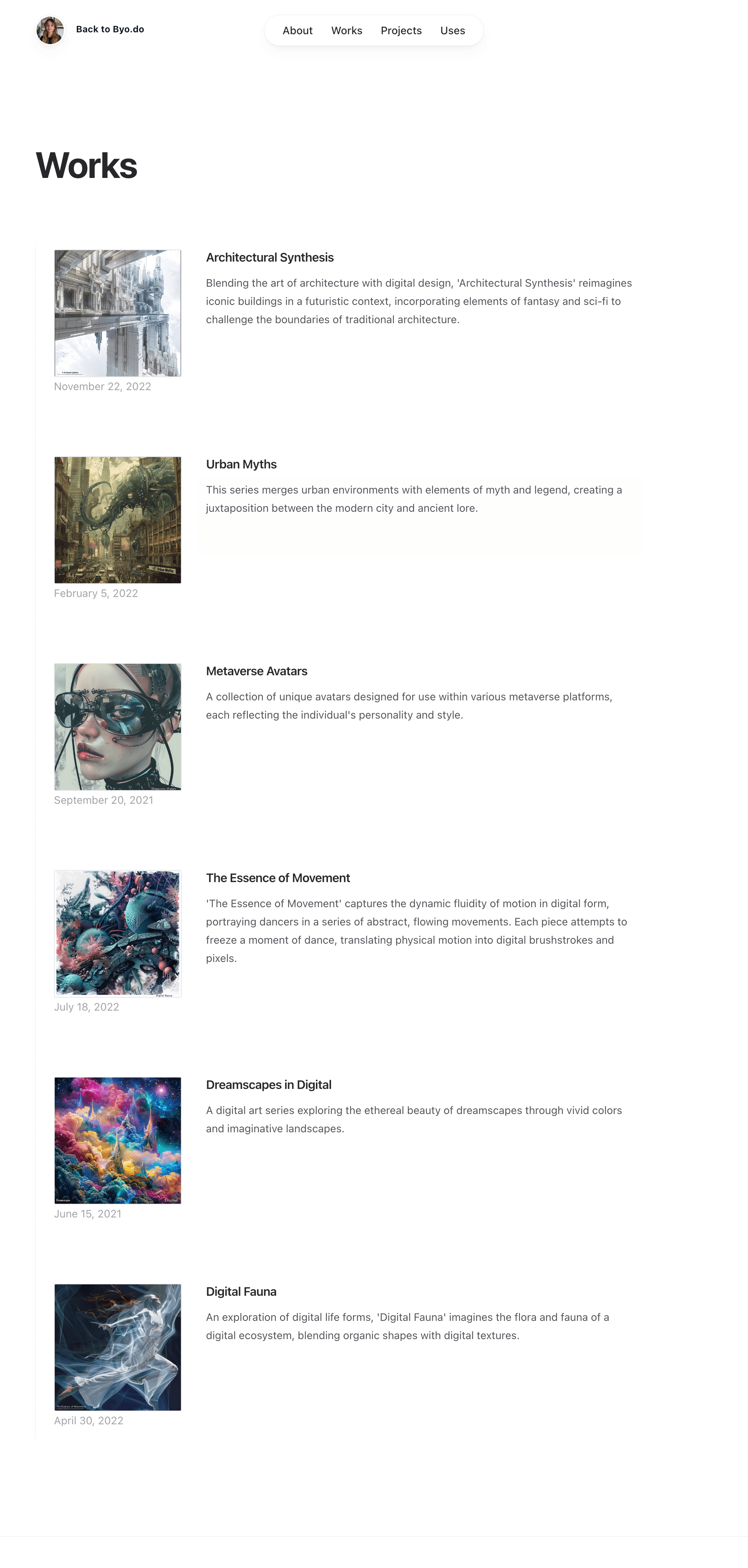
 - She uploads her works one by one. See Works
- Her portfolio is automatically created. See Portfolio
Recognition
 At Byodo, an internal review team member, Ethan Reyes, notices Mia’s registration
and immediately reviews her impressive portfolio and credentials. Convinced of
her talent and potential, Ethan manually approves Mia’s profile, recognizing her
as a perfect fit for the platform’s esteemed creator pool. This moment marks the
beginning of a new chapter for Mia, one filled with potential and promise.
At Byodo, an internal review team member, Ethan Reyes, notices Mia’s registration
and immediately reviews her impressive portfolio and credentials. Convinced of
her talent and potential, Ethan manually approves Mia’s profile, recognizing her
as a perfect fit for the platform’s esteemed creator pool. This moment marks the
beginning of a new chapter for Mia, one filled with potential and promise.How to test
How to test
- As an operator, Ethan goes to the Creator Review page from Dashboard
- He sees a list of reviwees

- He clicks on Mia’s link
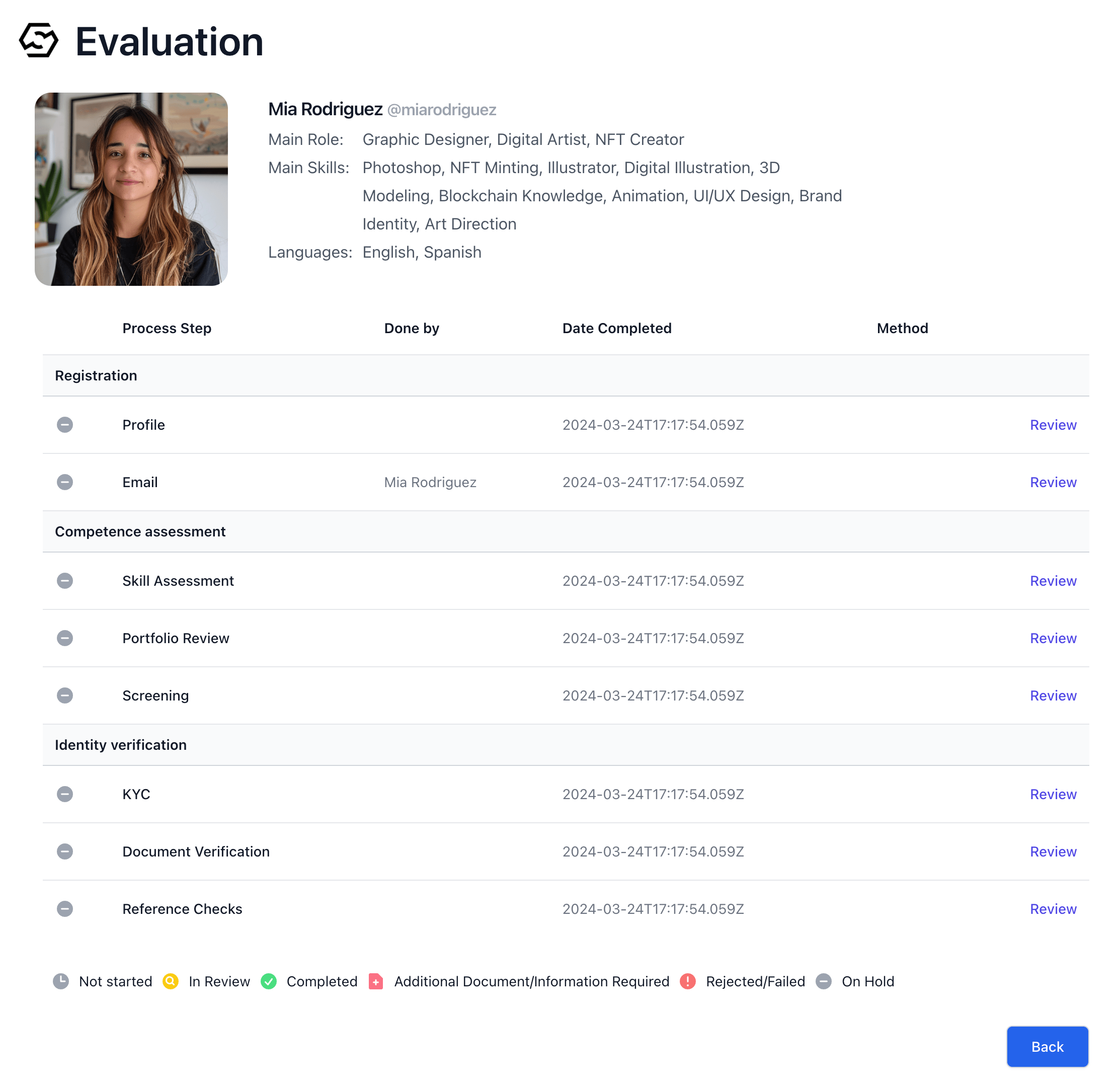
- He sees Mia’s profile
- He clicks on the
Reviewlink in the Profile section of the review items and pressesApprovebutton to approve Mia’s profile. See Vetting Process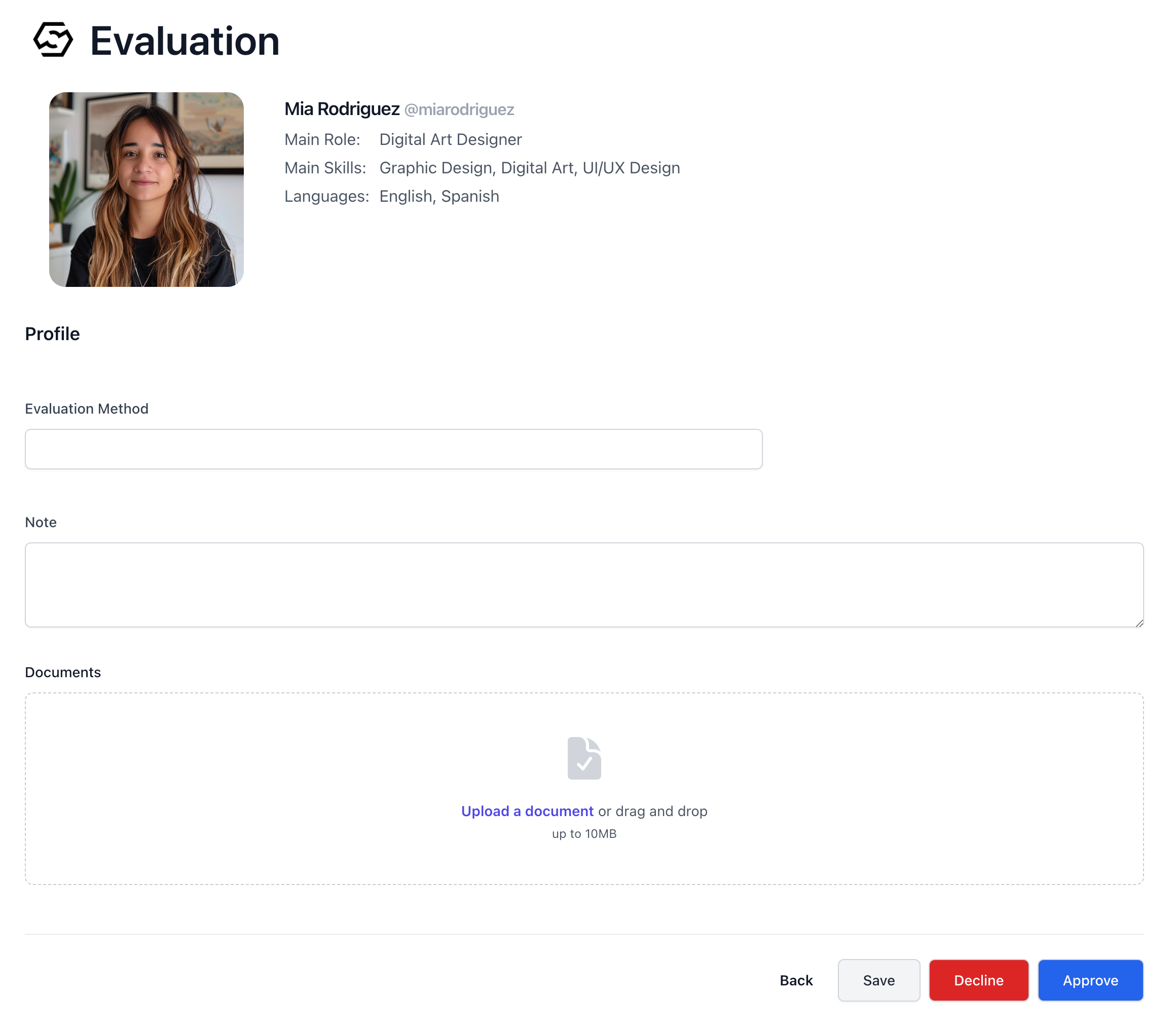
The Next Step
 Mia’s heart raced as she read the email from Byodo, informing her that she had
passed the initial screening. The message outlined the next steps: uploading skill
verification documents or completing a Skill Assessment, scheduling a screening
interview, and submitting KYC documents along with two professional references.
Mia logged into the platform and uploaded a copy of her driver’s license for KYC.
She reached out to her former colleagues, Emma and Liam, who gladly agreed to serve
as references. Mia input their names and contact information into the system. As
a certified Adobe Photoshop Professional, she uploaded her certificate and scheduled
her screening interview, feeling a mix of excitement and nervousness.
Mia’s heart raced as she read the email from Byodo, informing her that she had
passed the initial screening. The message outlined the next steps: uploading skill
verification documents or completing a Skill Assessment, scheduling a screening
interview, and submitting KYC documents along with two professional references.
Mia logged into the platform and uploaded a copy of her driver’s license for KYC.
She reached out to her former colleagues, Emma and Liam, who gladly agreed to serve
as references. Mia input their names and contact information into the system. As
a certified Adobe Photoshop Professional, she uploaded her certificate and scheduled
her screening interview, feeling a mix of excitement and nervousness.How to test
How to test
The Skill Assessment
Ethan meticulously verified Mia’s driver’s license and contacted her references,
who provided glowing recommendations. Satisfied, he marked both sections as
Accept.
However, while her Photoshop skills were confirmed through her certificate, Ethan
couldn’t validate her Web3 and NFT expertise. He sent her feedback, requesting
that she complete the Skill Assessment for these areas.How to test
How to test
Proving Her Worth
Determined to showcase her abilities, Mia tackled the online NFT and Web3 tests.
Despite encountering a few challenging questions, she confidently answered
around 80% of them, demonstrating her knowledge and understanding of these
cutting-edge technologies.
The Final Verdict
Ethan carefully reviewed Mia’s Skill Assessment results, impressed by her performance. He marked her evaluation as “Aproved” finalizing her journey through Byodo’s rigorous vetting process. Mia was now officially registered as a Verified Creator on the platform, ready to take on exciting new projects.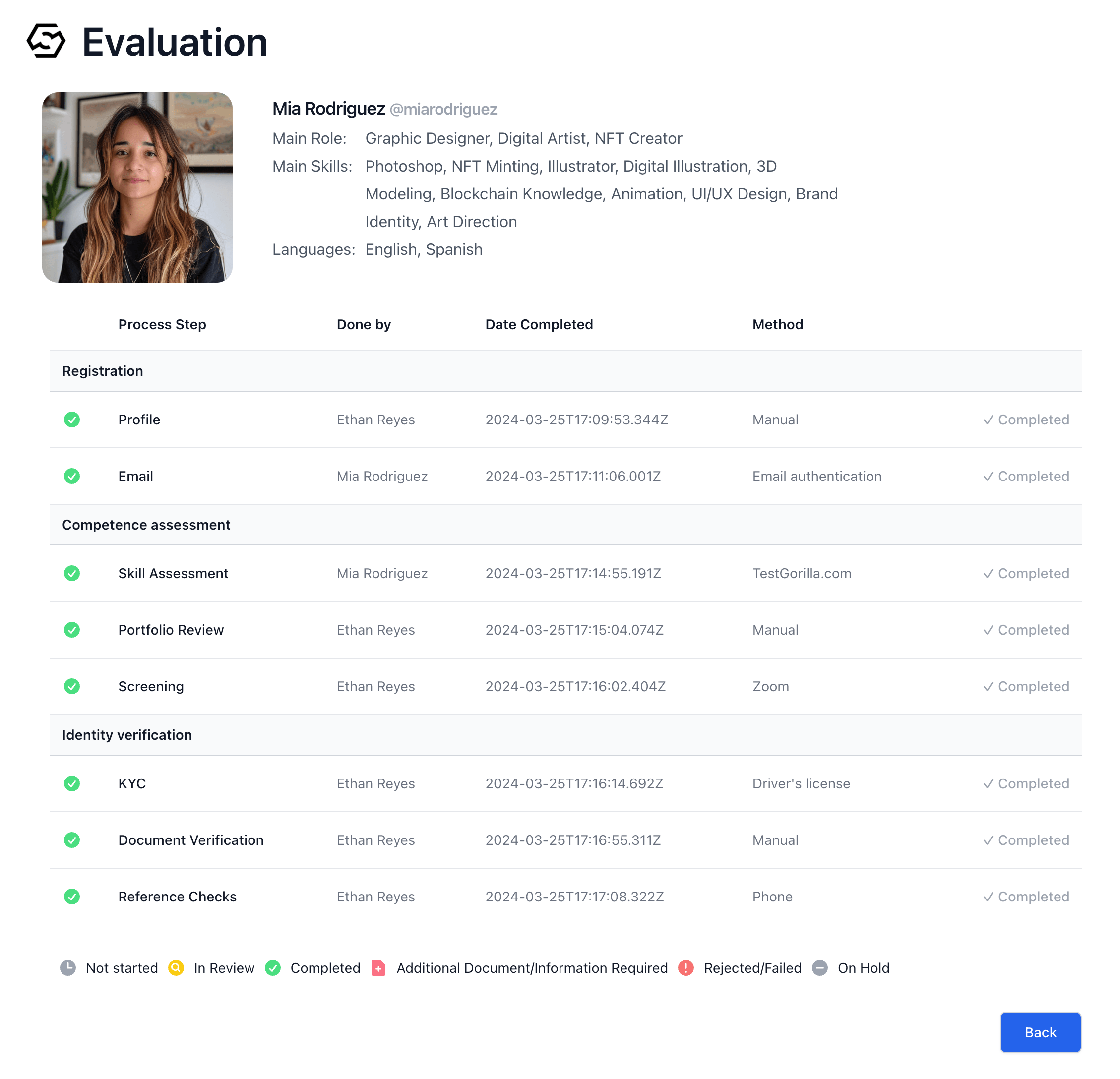
How to test
How to test
Once all review items are approved, the creator will receive a “Verified” batch on the profile page.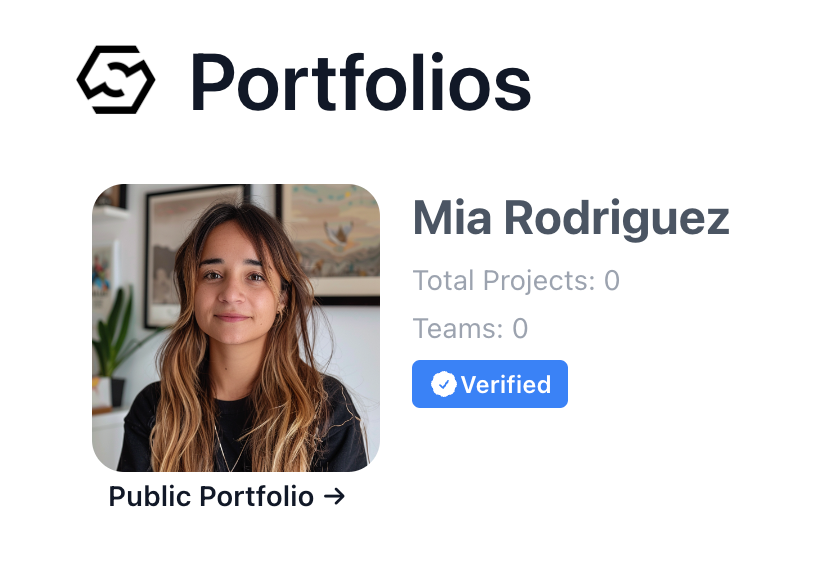
The New Beginning
Mia’s heart soared as she received the notification from Byodo, confirming her status as a fully-vetted creator. She knew that this was just the beginning of a thrilling new chapter in her career, one filled with opportunities to collaborate with top brands and push the boundaries of digital art.A Manager’s Mission
 Alex Chen, a Digital Innovation Manager at a prestigious luxury brand, had been tasked with a daunting mission: to drive the company’s digital transformation and attract a new, tech-savvy customer base. Inspired, Alex envisioned a groundbreaking project that would digitize the brand’s iconic designs, turning them into NFTs to be distributed among loyal customers.
Despite his enthusiasm, Alex faced a significant challenge: he lacked connections to creators well-versed in cutting-edge technologies like NFTs and digital art. Moreover, he was keen on hiring talented young creators for this project. In an effort to find the right collaborators, Alex signed up for several freelancer and project matching websites. However, the ambiguity of the submitted portfolios left him feeling uneasy about entrusting a crucial corporate project to these individuals.
While client reviews provided some insight, Alex recognized that they were merely relative evaluations and did not definitively prove a creator’s technical proficiency or creative abilities. The last thing he wanted was to initiate the project only to discover a lack of competence later on, which would undoubtedly cause internal issues within the company.
Furthermore, given the project’s importance to the brand, Alex was determined to minimize risks wherever possible. He needed a platform that could provide not only a diverse pool of talented creators but also a reliable method of verifying their skills and expertise. The search for the perfect solution continued, with Alex growing increasingly aware of the challenges that lay ahead.
Alex Chen, a Digital Innovation Manager at a prestigious luxury brand, had been tasked with a daunting mission: to drive the company’s digital transformation and attract a new, tech-savvy customer base. Inspired, Alex envisioned a groundbreaking project that would digitize the brand’s iconic designs, turning them into NFTs to be distributed among loyal customers.
Despite his enthusiasm, Alex faced a significant challenge: he lacked connections to creators well-versed in cutting-edge technologies like NFTs and digital art. Moreover, he was keen on hiring talented young creators for this project. In an effort to find the right collaborators, Alex signed up for several freelancer and project matching websites. However, the ambiguity of the submitted portfolios left him feeling uneasy about entrusting a crucial corporate project to these individuals.
While client reviews provided some insight, Alex recognized that they were merely relative evaluations and did not definitively prove a creator’s technical proficiency or creative abilities. The last thing he wanted was to initiate the project only to discover a lack of competence later on, which would undoubtedly cause internal issues within the company.
Furthermore, given the project’s importance to the brand, Alex was determined to minimize risks wherever possible. He needed a platform that could provide not only a diverse pool of talented creators but also a reliable method of verifying their skills and expertise. The search for the perfect solution continued, with Alex growing increasingly aware of the challenges that lay ahead.
A Promising Discovery
In his search for a solution, Alex stumbled upon Byodo. He was immediately intrigued by the platform’s unique approach to user evaluation, which relied not only on user reviews but also on the results of Byodo’s own rigorous assessment process. This added layer of verification gave Alex the confidence he needed to move forward.Bringing the Vision to Life
Alex decided to register his project on Byodo, even though he only had a rough idea of what he wanted to achieve. He wrote the project’s basic objectives, scope, and approximate budget, and upload it. To his amazement, Byodo’s AI took these outline ideas and transformed them into a comprehensive project specification document. The AI even proposed milestones and identified the necessary talent, areas where Alex had struggled. Impressed, Alex made a few minor adjustments and published the project, eager to see what talent Byodo would uncover.How to test
How to test
- Alex signs up as a project owner in Byodo at https://byo.do/auth/register
- He sees a Welcome message.
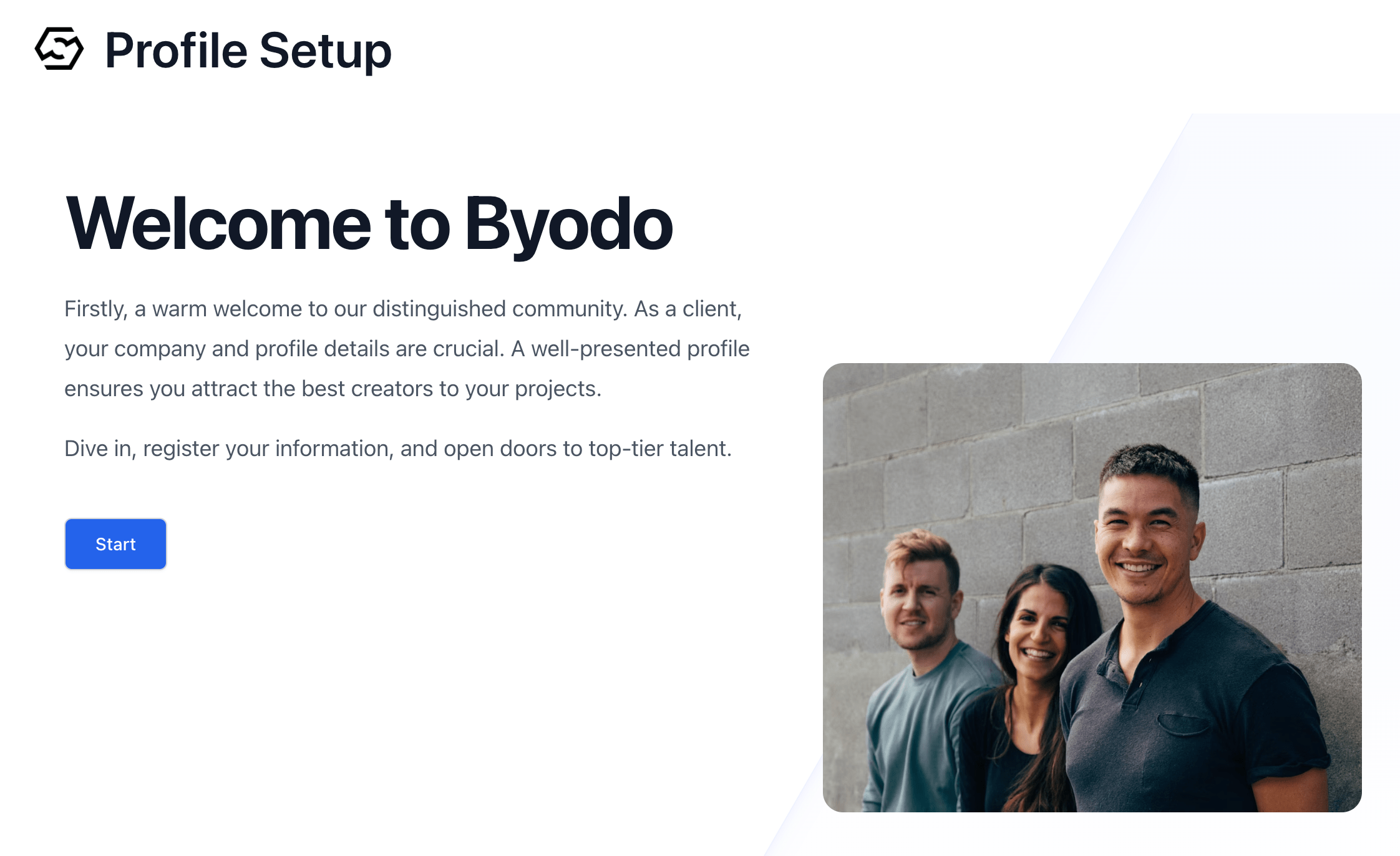
- He presses
Startand proceeds to the next step, which begins the creation of the profile. - The project owner initially registers only an
avatar,company information, and the theirlanguage. - He enters the name of his company in the company name input field. If his company is already registered, it will be displayed and he selects it. If his company is not yet registered, the company information input form will appear.
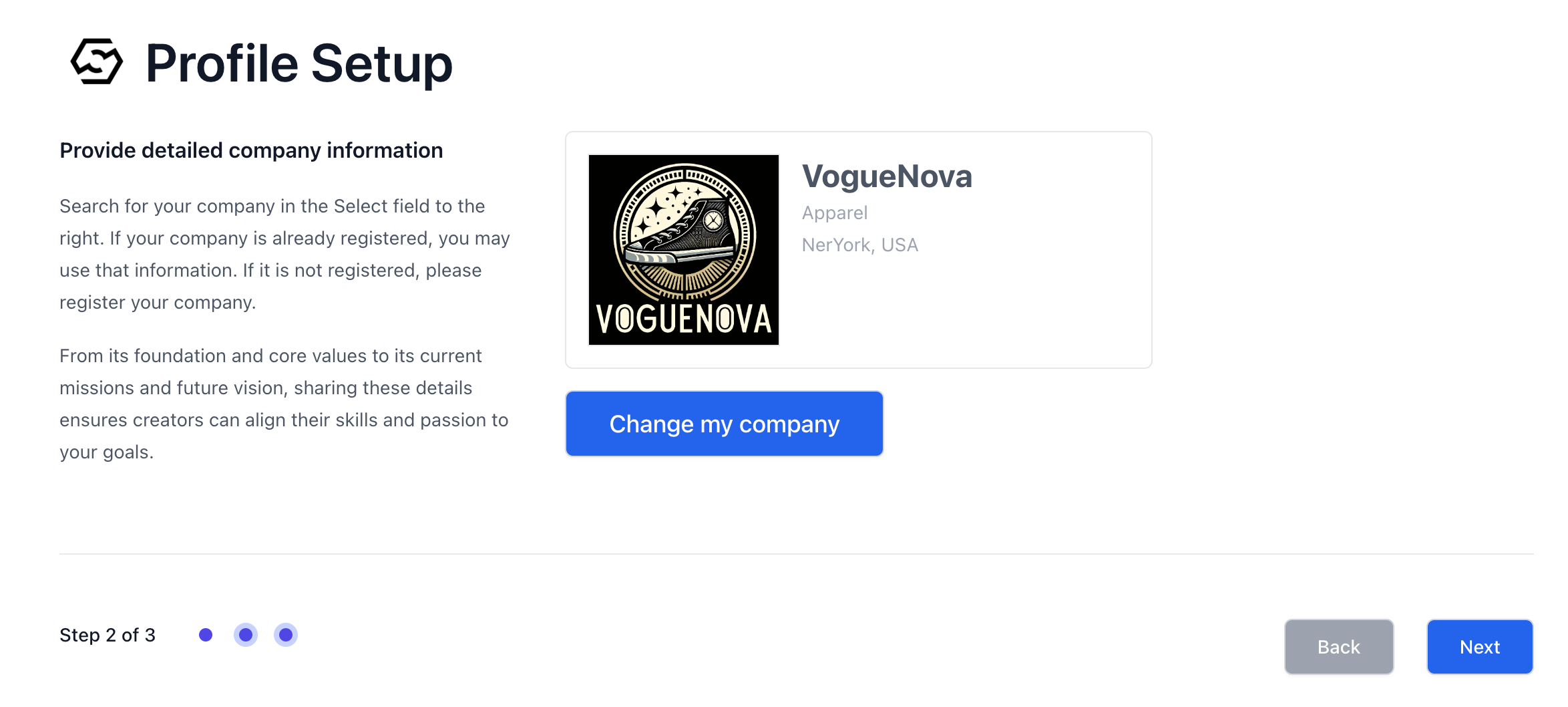
- Once he completes his profile, the process of project posting begins.
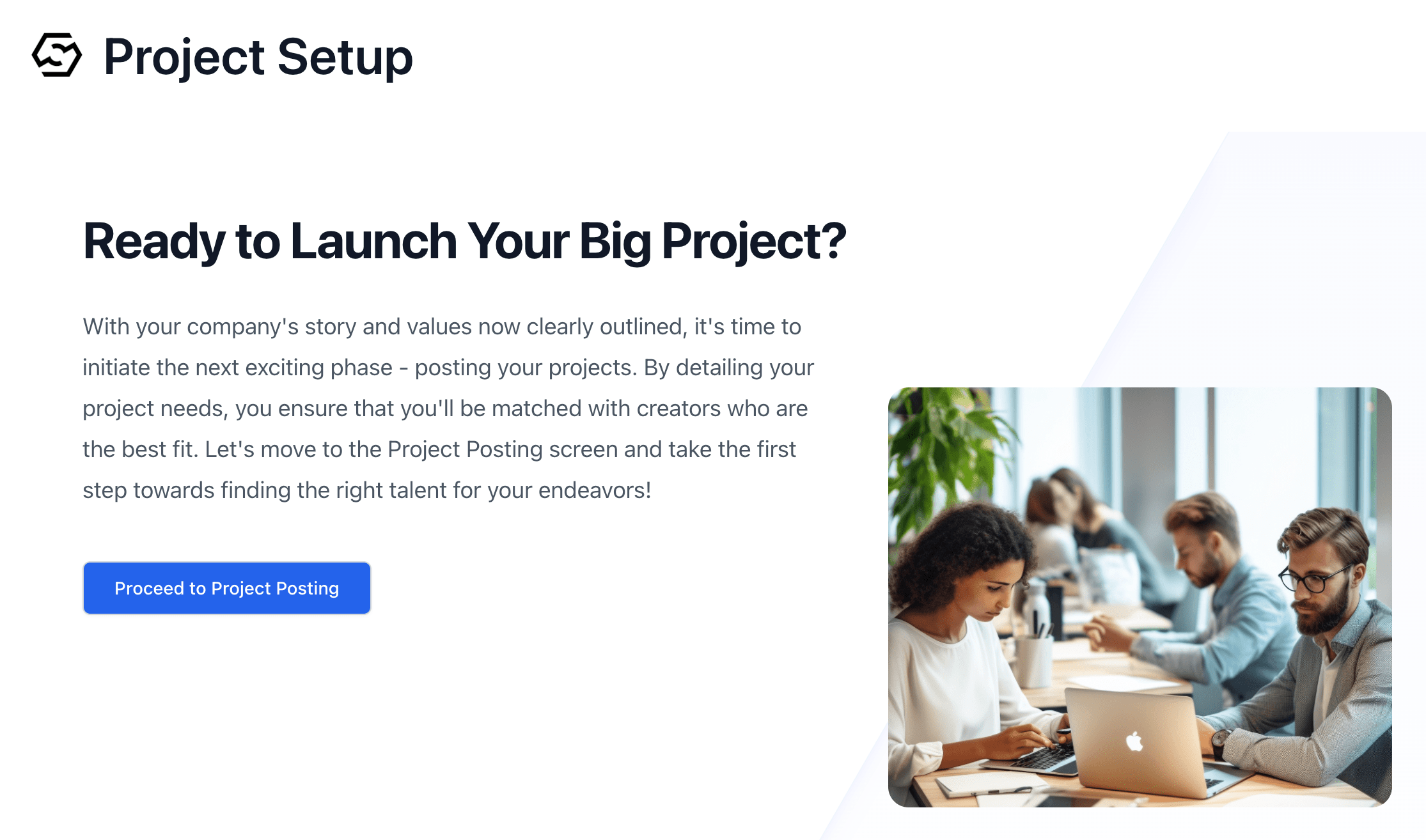
- He presses
Proceed to Project Postingto proceed and is asked how to post a project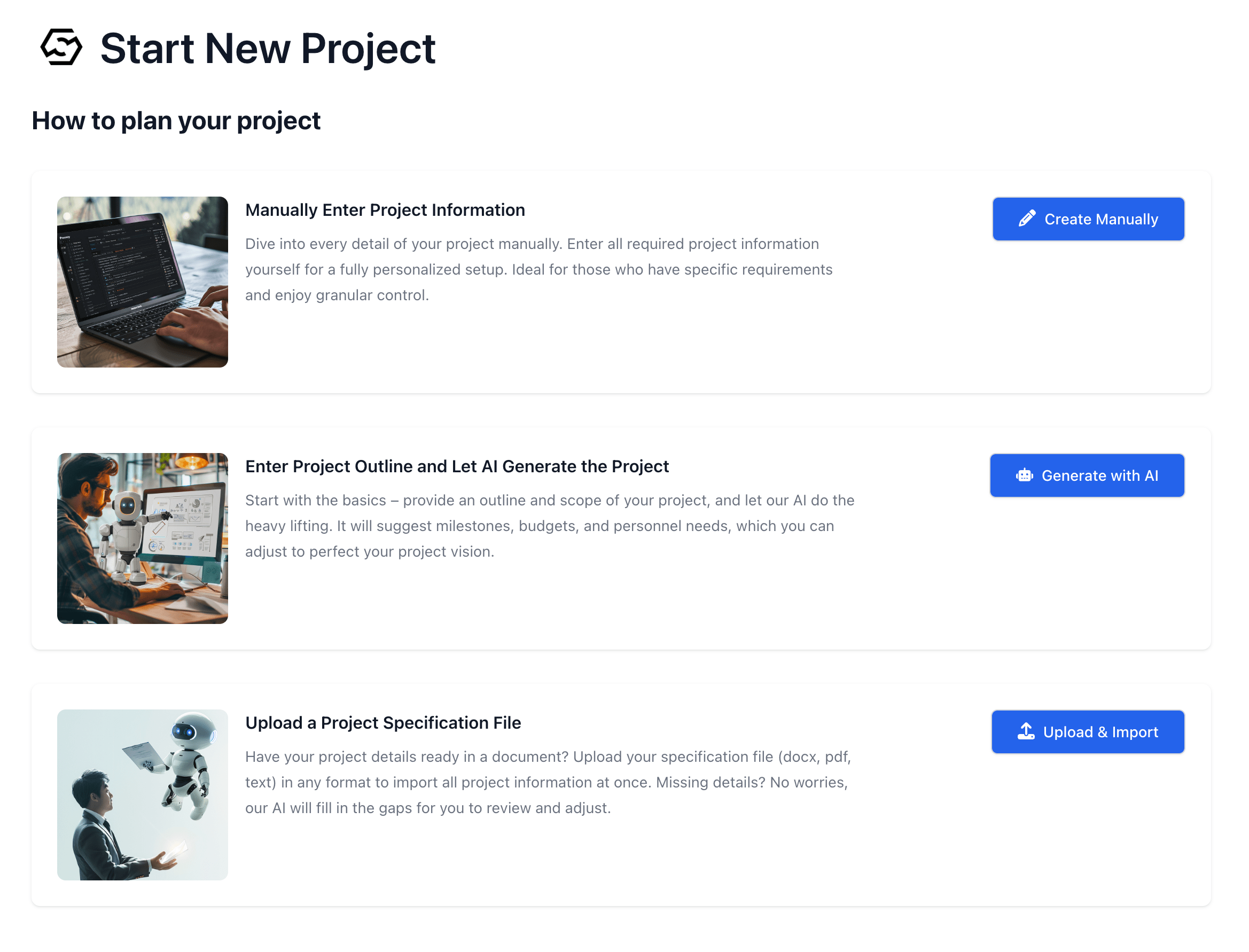
Manually Enter Project InformationorEnter Project Outline and Let AI Generate the ProjectorUpload a Project Specification File- Manually Enter Project Information. See: Interactive Mode
- Enter Project Outline and Let AI Generate the Project. See: AI Assist Mode
- Upload a Project Specification File. See: Project Specification Upload Mode
- He chooses to
Upload & Importthe project specification file and uploads it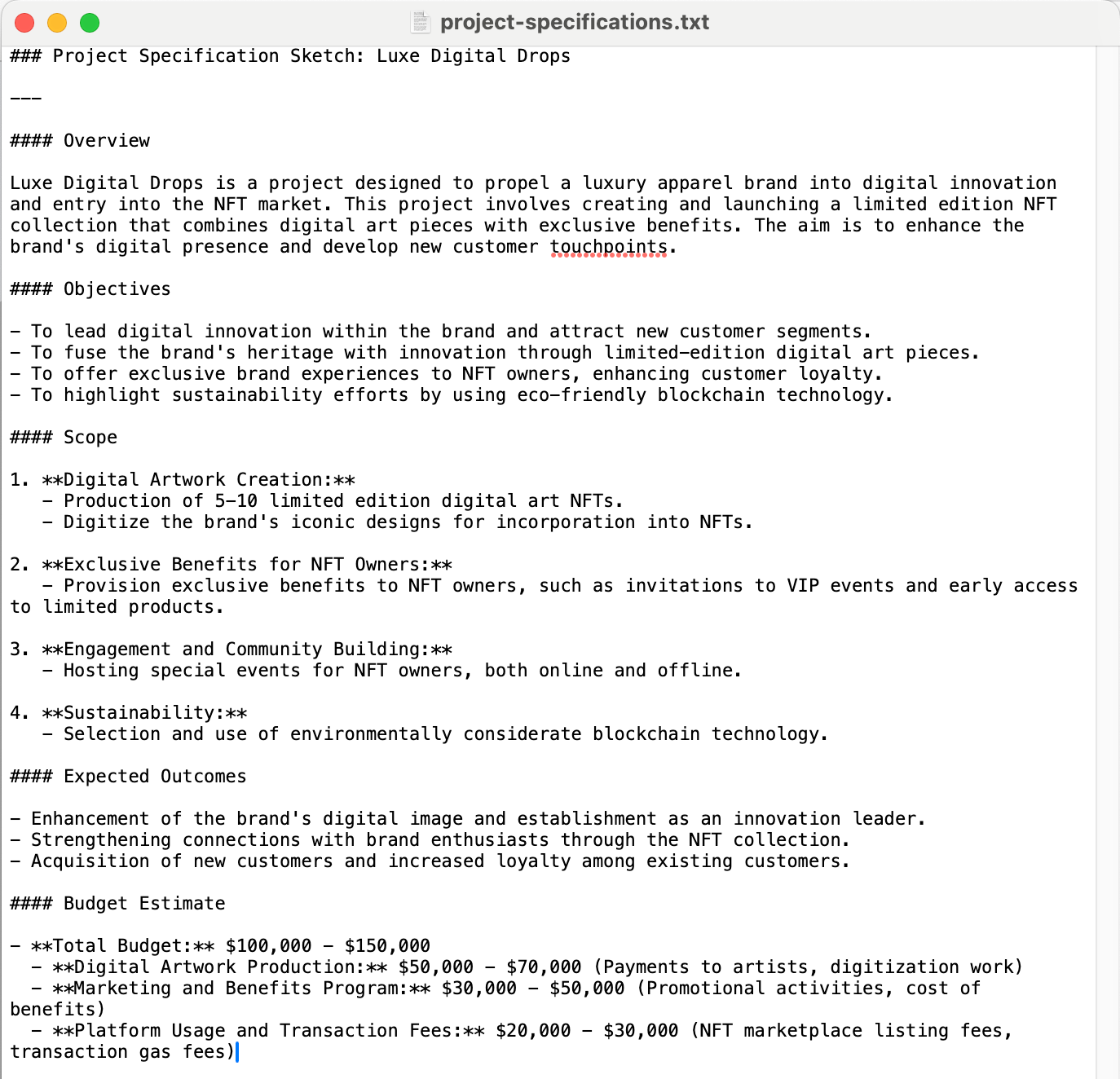
- His project is automatically created.
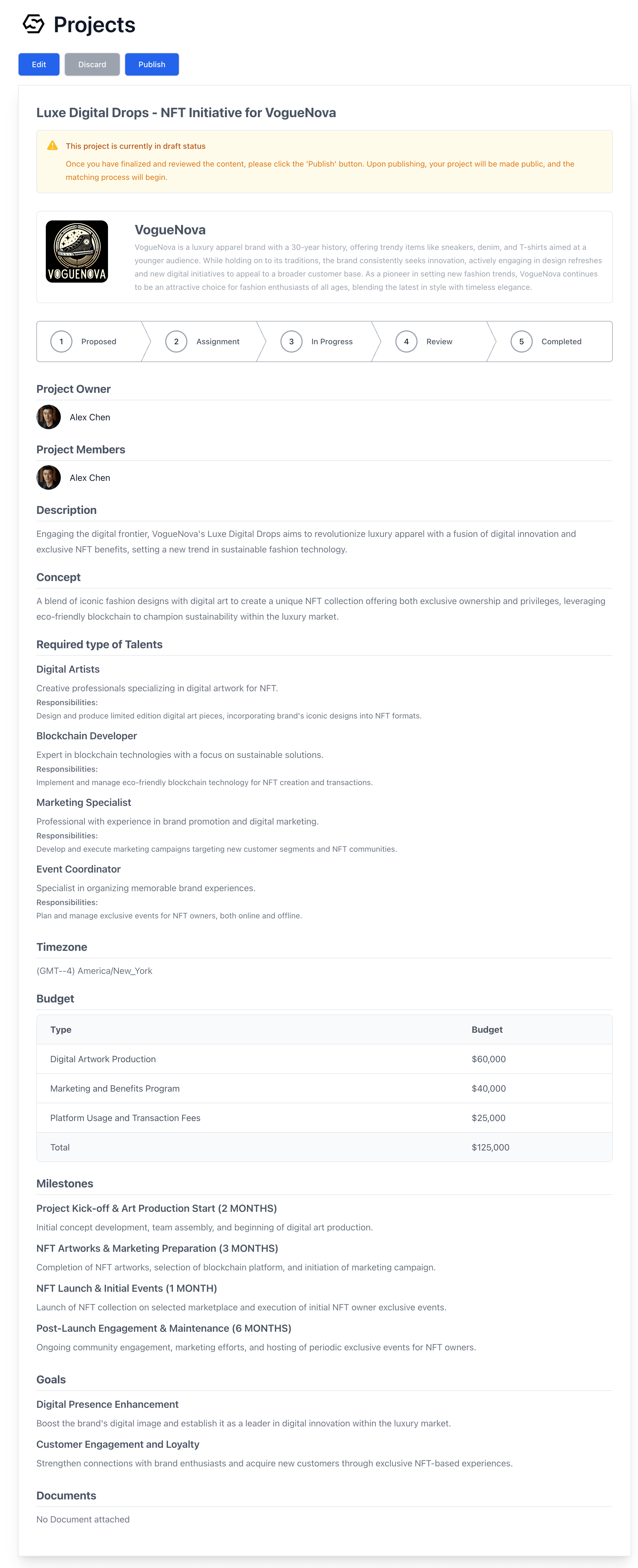
- He presses the
Editbutton to make minor changes to the project - When he finishes reviewing the project, press the
Publishbutton - Then, the matching process starts
The Promising Candidates
How to test
How to test
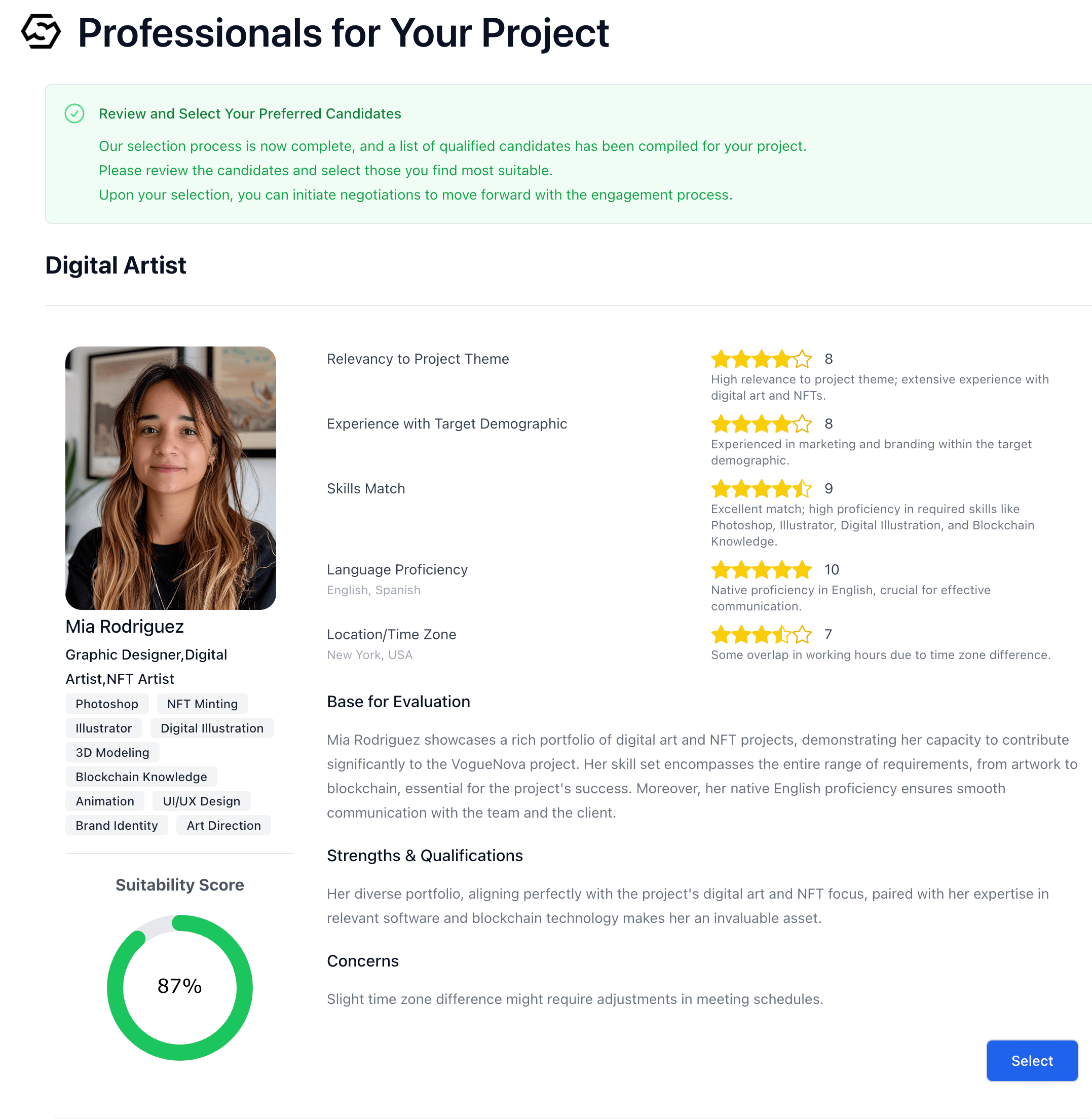
- When he publishes his project, the creator matching process begins. After
a few minutes of waiting, he receives the results of the matching process.

- He sees the list of creators recommended for the project
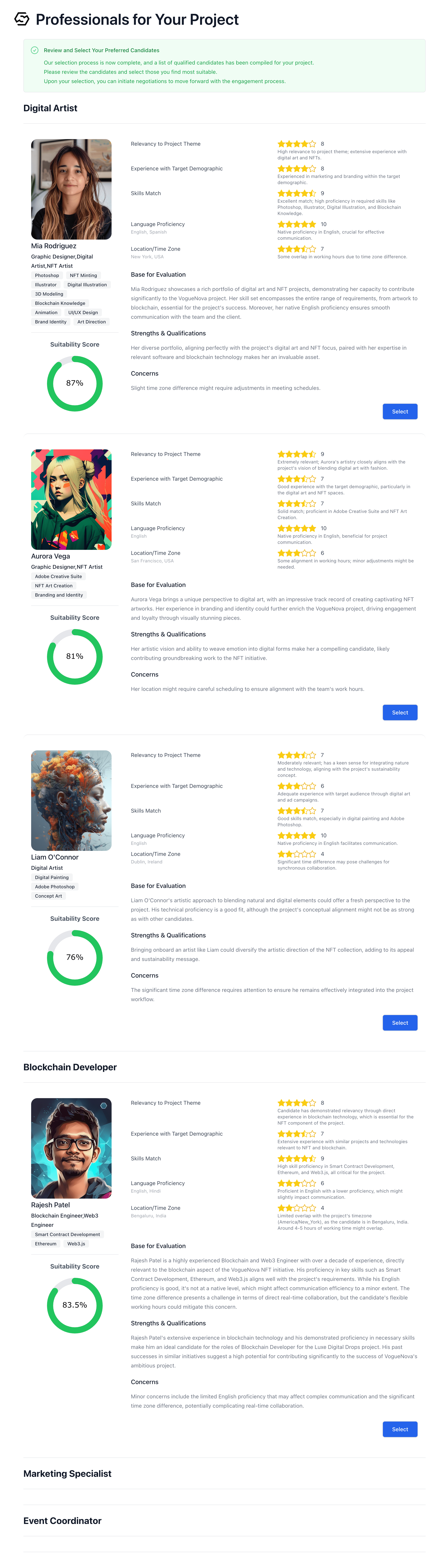
- He reads the list of candidates carefully and selects her as Digital
Artist by pressing Mia’s
Selectbutton. - He selects all candidates for other roles and presses the
Nextbutton
The Dream Team
How to test
How to test
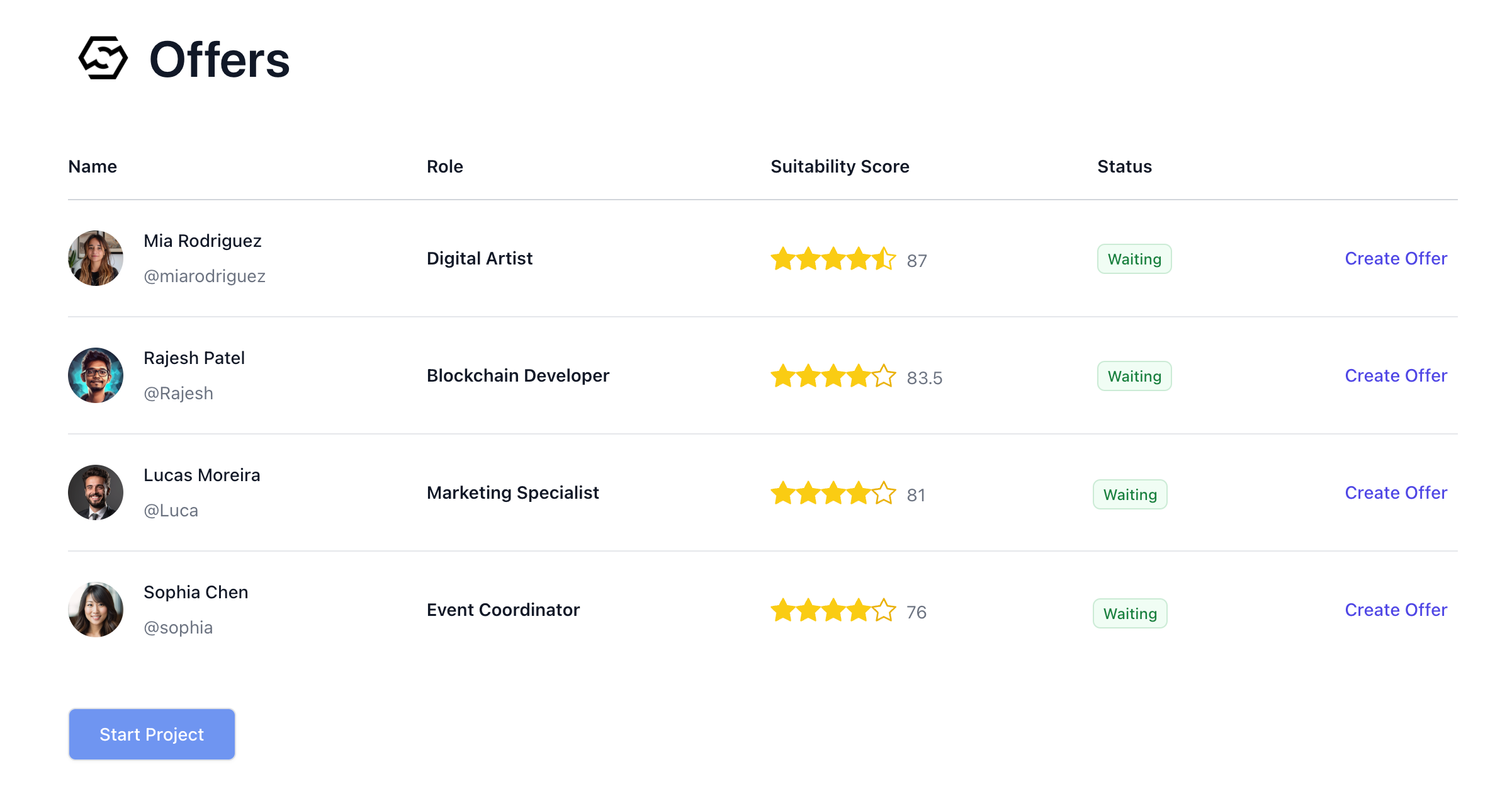
- Once Alex has selected all of the suitable candidates for the project from
the matching results report, a list of offers from the selected creators
will appear.
- The status includes:
WaitingOffer sendAcceptedDeclined - He creates an offer for each creator through this list.
Crafting the Perfect Offer

How to test
How to test
See: Offer Creation
- From the list of creators he has selected, he clicks on
Create Offerfor the creator for whom he wants to create an offer
- A offer form appears. The form contains the details of the project
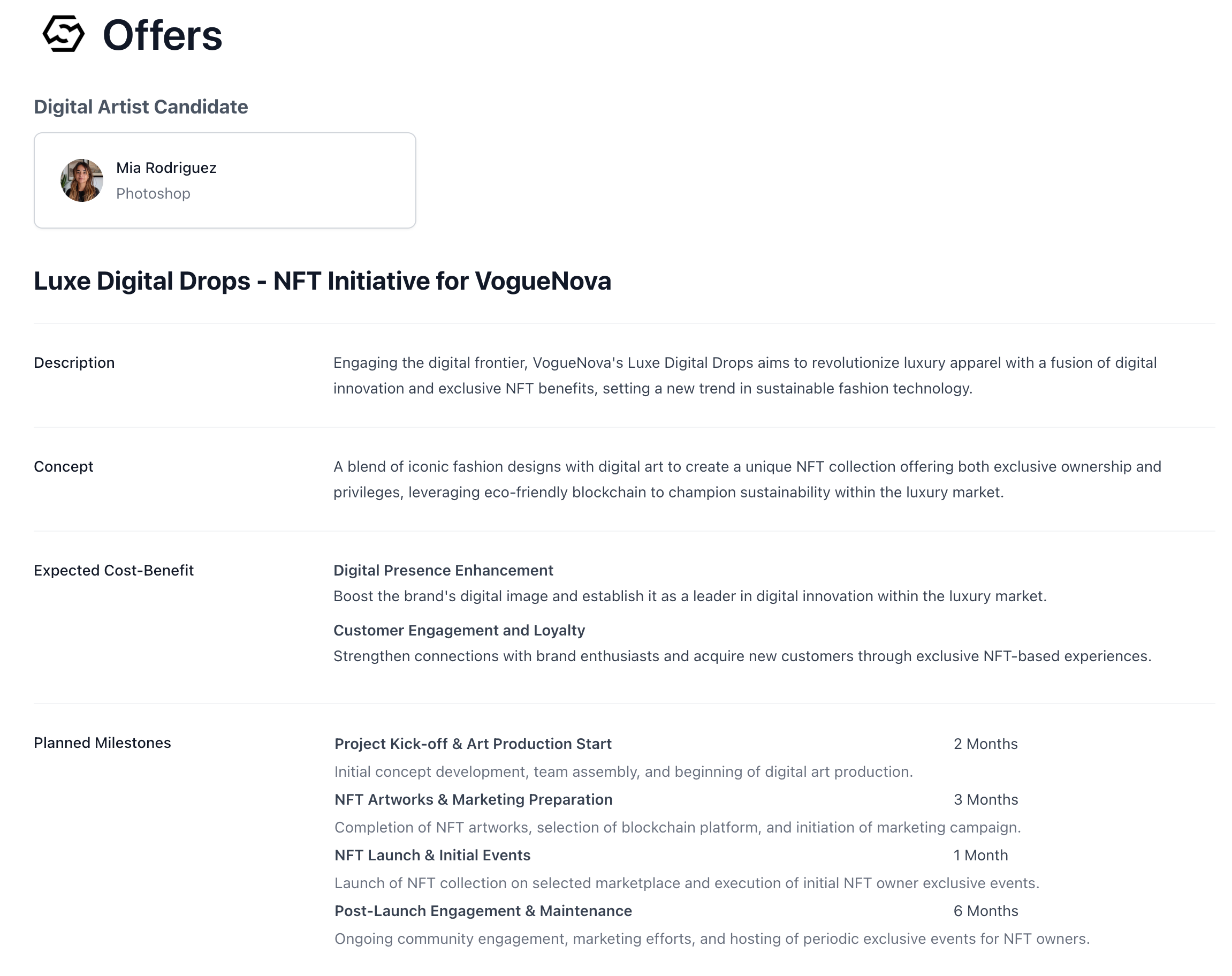
- He enters the duration of the project in the StartDate and EndDate fields

- He selects Request a Quote from the options Request a Quote or Offer Compensation

- If he chooses Request a Quote, he does not have to enter anything about the compensation. The creator will send a quote.
- If he choose Offer Compensation, a compensation section will appear and he will need to enter the compensation.
- He enters the roles and responsibilities that the creator will be responsible for in
The expected roles and responsibilities. In this case, he selects the responsibilities of the Digital Artist shown in the choices.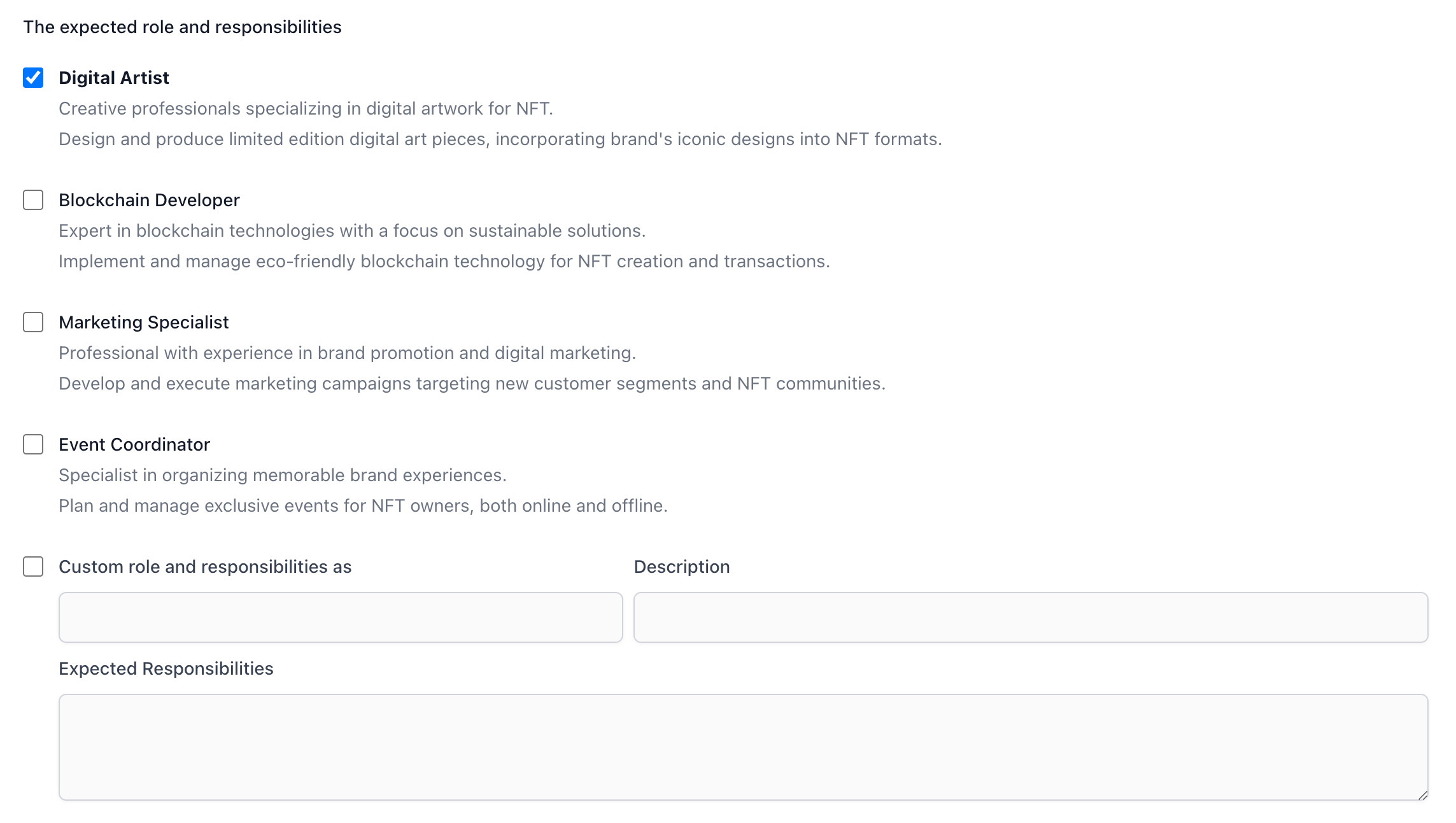
- He enters in the
Specific Requirementthat he wants to create 50 pieces of digital art, all of them NFT, to be given to the client as a gift.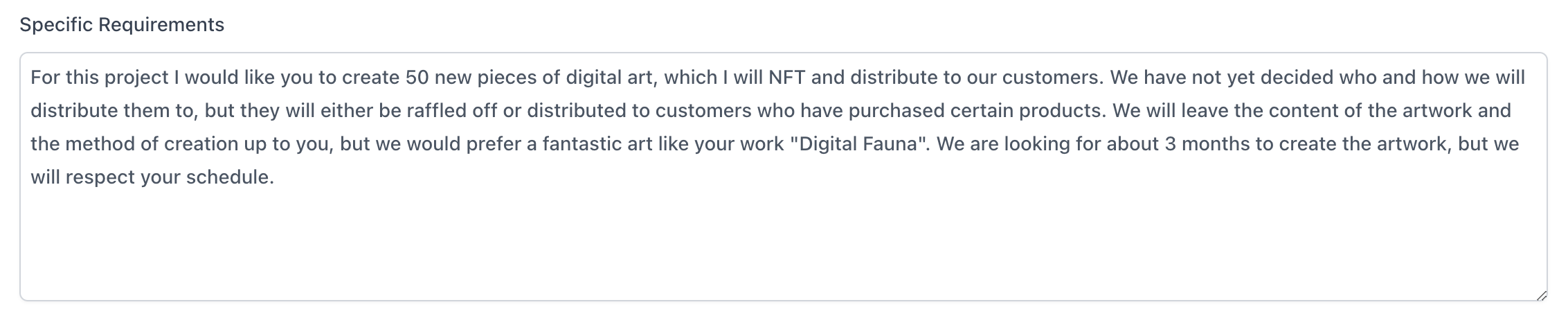
- He checks the offer and presses the “Send Offer” button.
A Thrilling Opportunity

How to test
How to test
See: Contract
- After Alex sends an offer to Mia, when Mia logs into Byodo, the notification icon in the upper right corner has a green circle. She clicks on it.
A Perfect Fit
How to test
How to test
- After Alex sends an offer to Mia, when Mia logs into Byodo, the
notification icon in the upper right corner has a green circle. She clicks
on it.
- She sees the offer
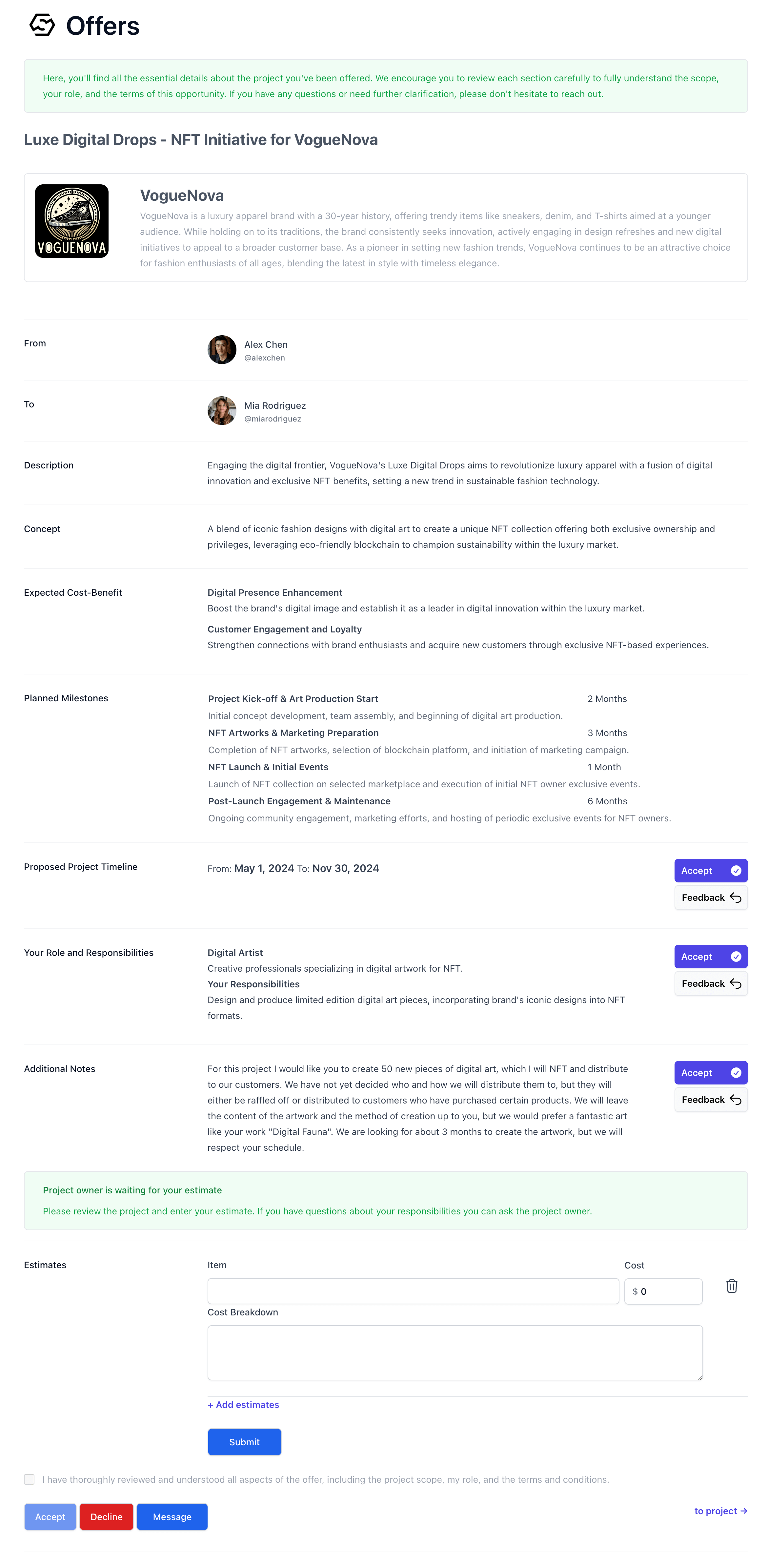
- She reviews the offers one by one.
- For each item, if there are no problems, she clicks
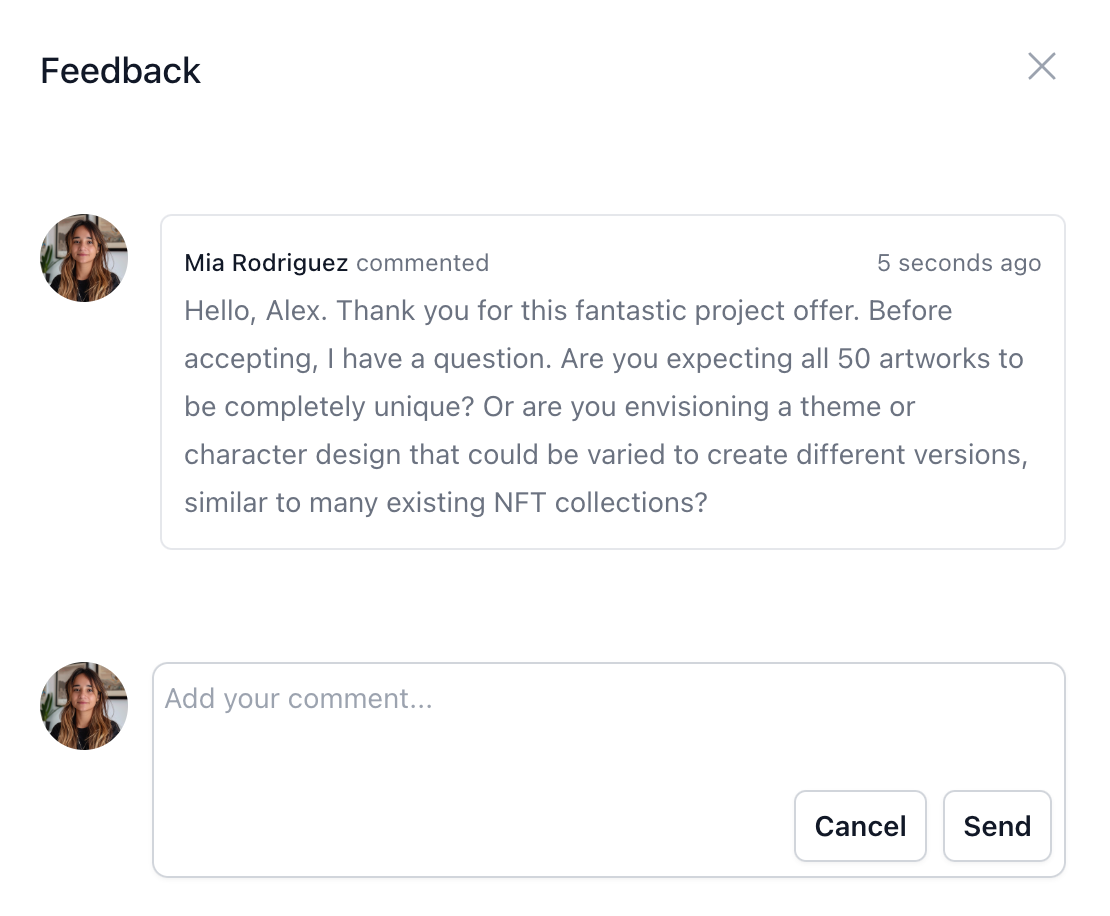
Accept; - If she has a question, she clicks Feedback, which opens a message window
in which she can ask a question about that item.
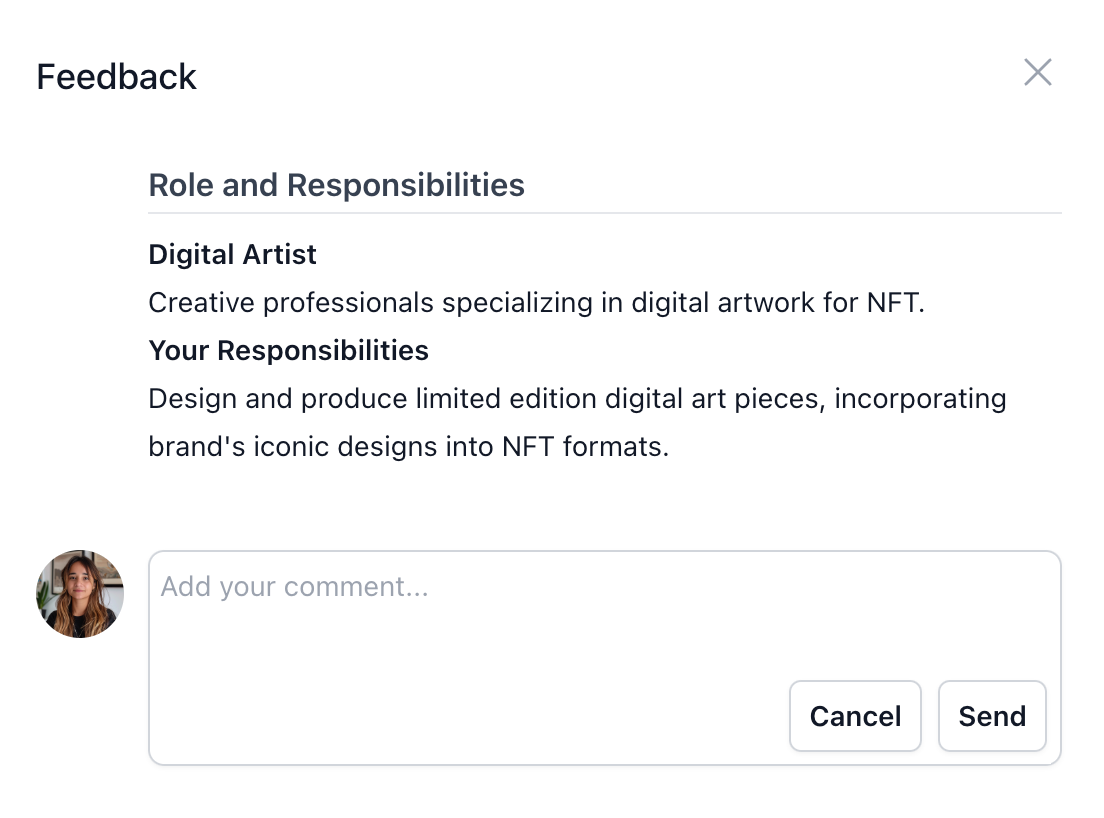
- She wanted to ask a question about the entire offer, not a specific item,
so she presses the
Messagebutton at the bottom and the message form appears.
- She writes her question and presses
Send.
Clarifying Expectations
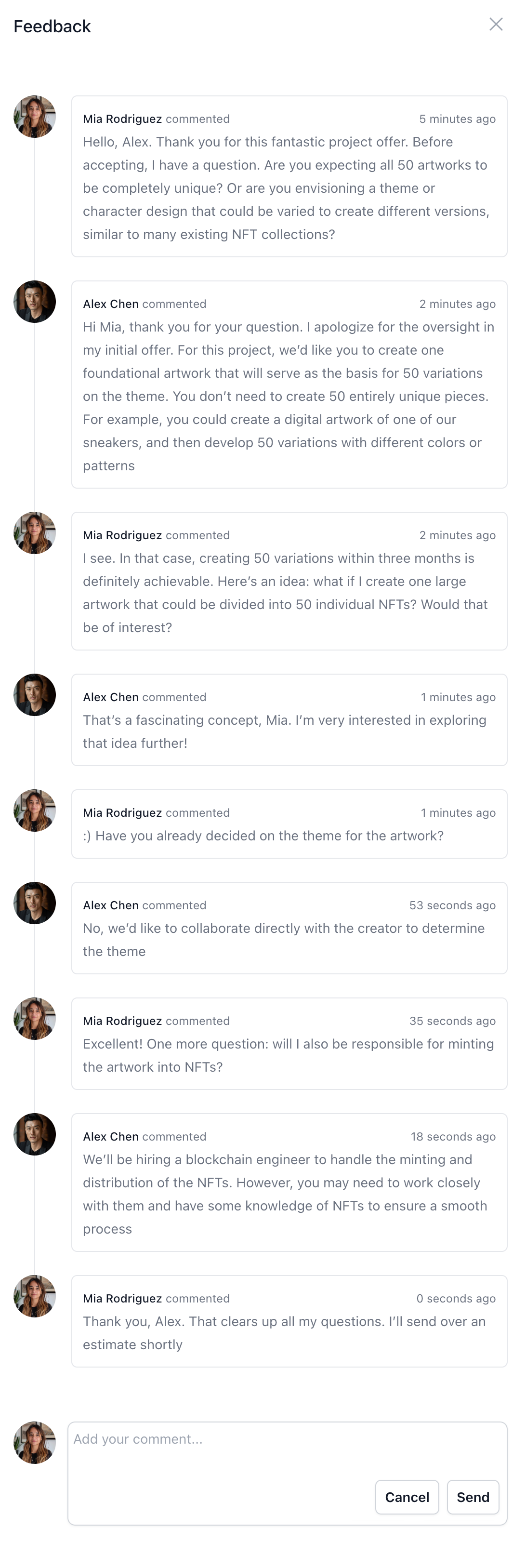
How to test
How to test
- Alex receives a notification that he has a message from Mia.
- Alex opens the offer and checks the message.
- Alex replies to Mia.
- Mia receives a notification that she has received a reply from Alex.
- Mia replies to Alex.
Crafting the Estimate
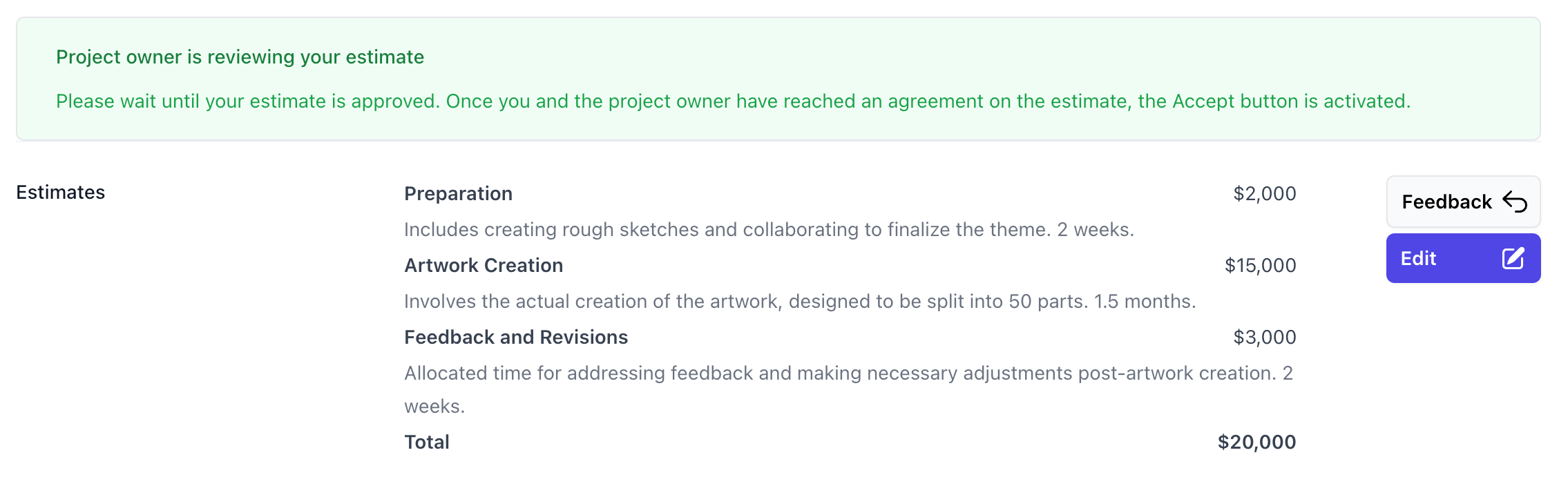
 Mia contemplated the project estimate. She was quite proud of her idea to create one large artwork that could be divided into 50 NFTs. Typically, she would spend anywhere from two weeks to a month on a single piece. However, given the scale of this project and the need to create a cohesive artwork that could be split into 50 parts, she estimated that it would take over a month to complete.As a result, her per-piece estimate would be two to three times her usual rate. She also accounted for the time needed to create rough sketches and collaborate on finalizing the theme. Mia outlined a schedule that included a two-week preparation period, a month and a half for artwork creation, and two weeks for addressing feedback. Based on these factors, she arrived at an estimate of $20,000 and sent her proposal to Alex.
How to test
How to test
- Mia sees the estimate form at the bottom of the offer.

- She enters the first estimate she needs to prepare.
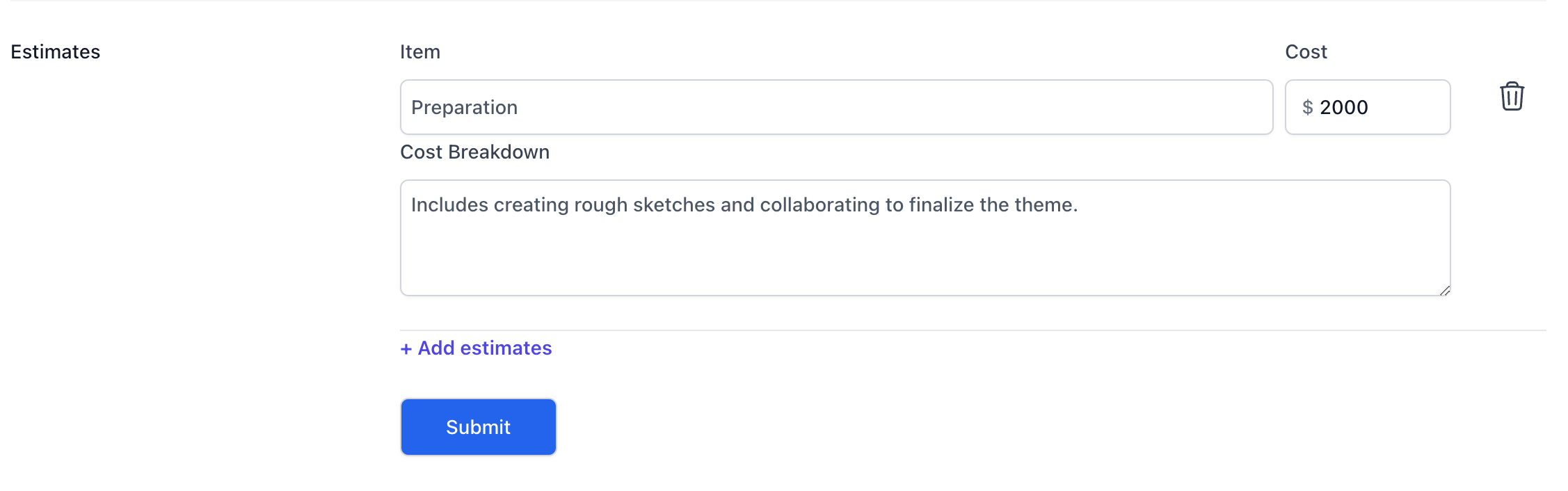
- She clicks the
Add estimatesto add other estimates. - She enters the rest of the estimates
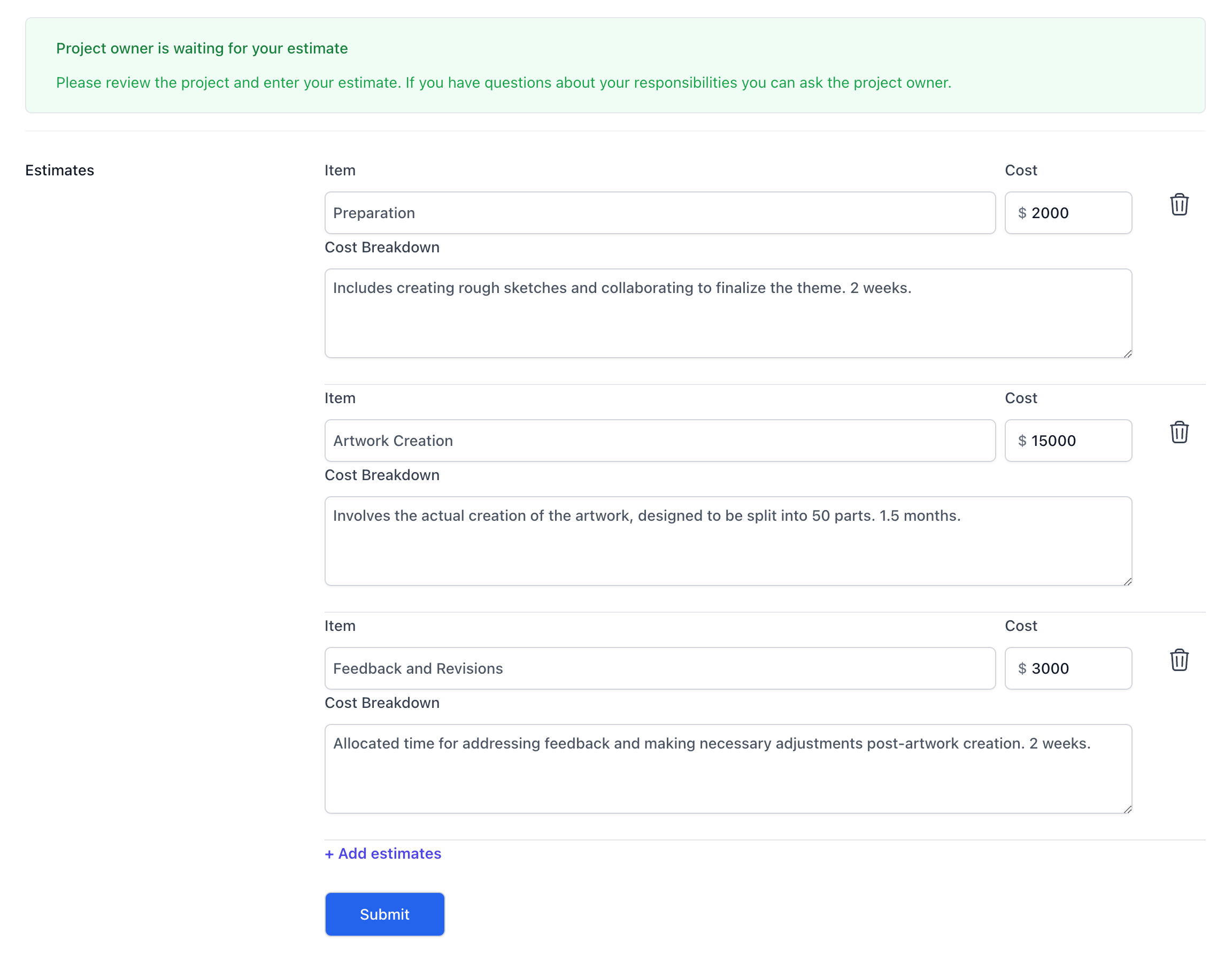
- She presses the
Submitbutton - She sees the estimate sent to Alex
Assembling the Dream Team

Alex received the responses from all the candidates he had extended offers
to. Mia had provided an estimate of $20,000, while the blockchain engineer
and marketing professional had quoted $15,000 and $10,000, respectively.
All the estimates fell within his budget, and the proposed timelines were
acceptable. Confident in his choices, Alex decided to move forward with
hiring the entire team.
How to test
How to test
- Alex receives a notification that he has an estimate from Mia.
- He opens the offer and reviews the estimate.
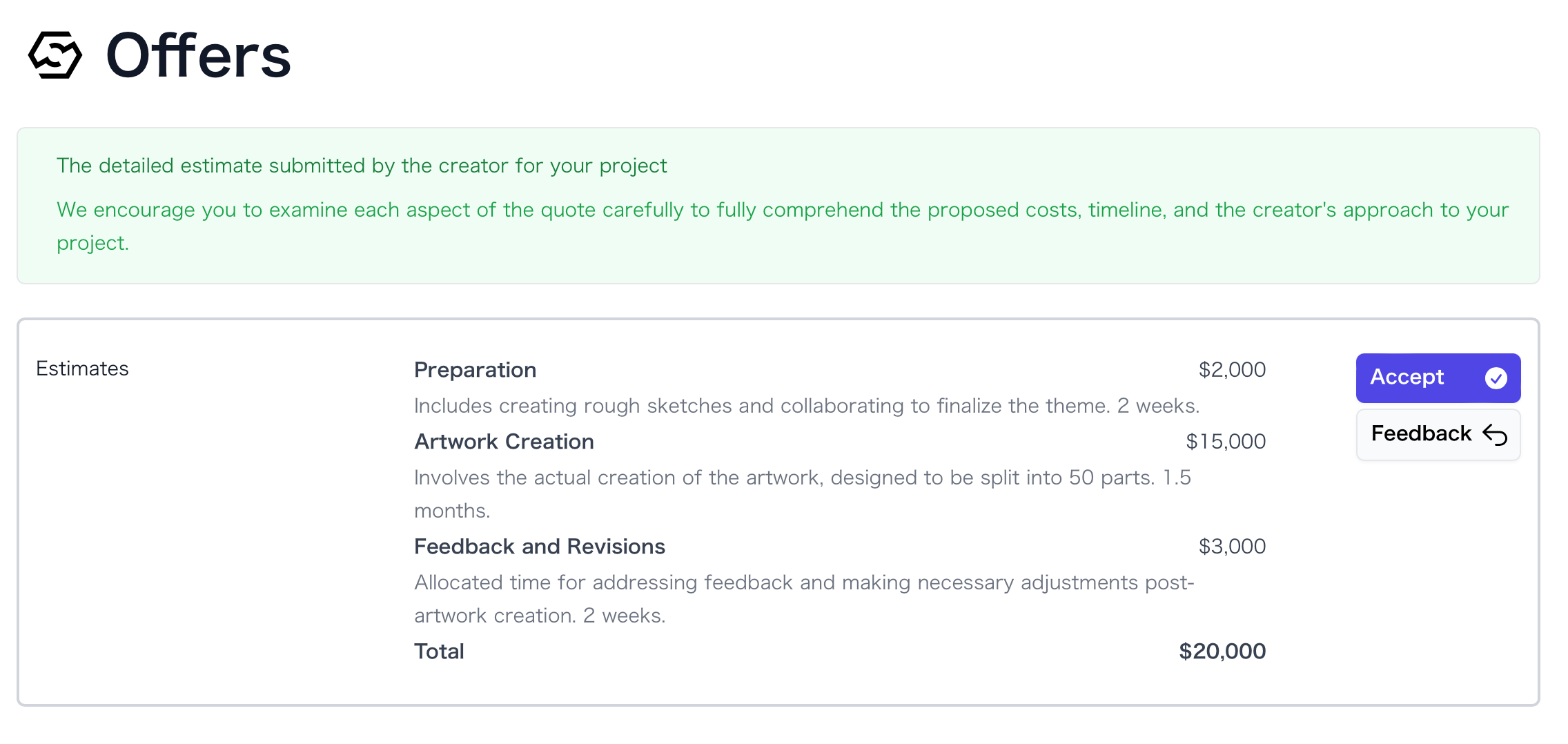
- If he has questions, he presses
Feedback.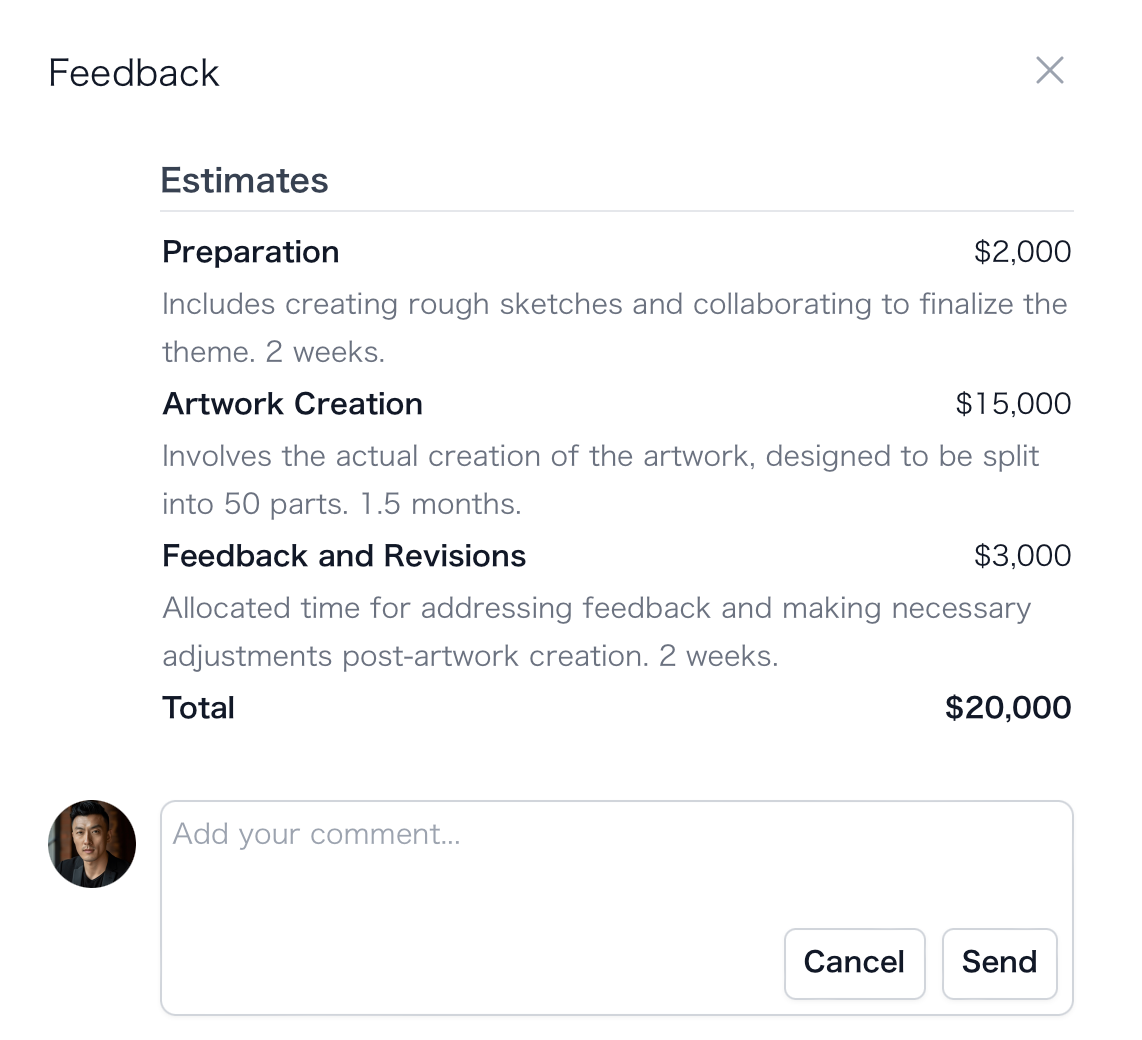
- If the estimate is OK, he presses
Accept.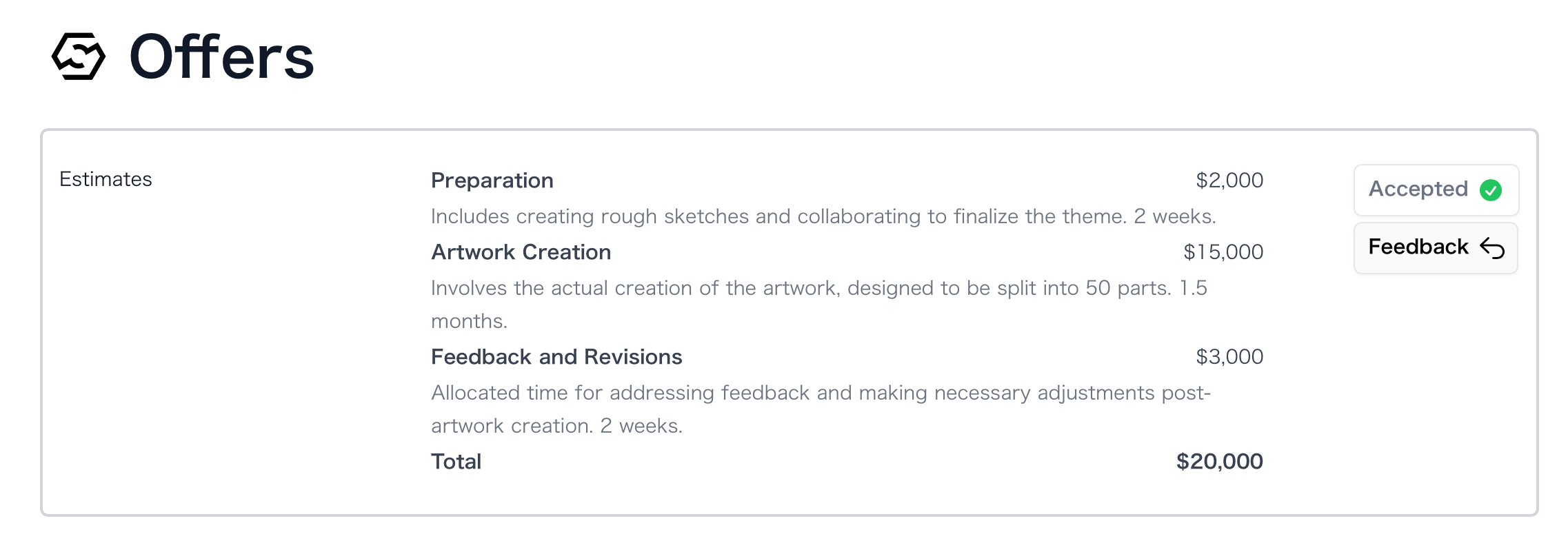
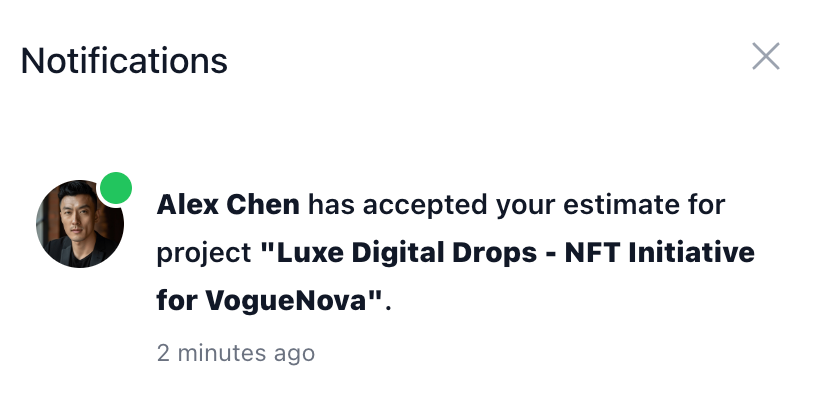
- When Alex accepts the estimate, Mia is notified.
The Waiting Game
Mia received a notification that Alex had accepted her estimate. She carefully reviewed the project duration, responsibilities, and scope of work, ensuring that everything aligned with her understanding. Satisfied, she checked the box to accept the offer and submitted her response. Mia wondered if Alex had extended offers to multiple creators, and she hoped that he would ultimately choose her for the project.A Full House
Alex received a notification informing him that Mia had accepted all aspects of the offer. Shortly after, he received similar notifications from the other candidates. Fortunately, everyone he had extended offers to had accepted, giving him a full roster of talented professionals for the project.Kicking Off the Project
Alex navigated to the project page on Byodo and selected the creators who had accepted his offers. With a sense of anticipation, he clicked theStart Project button, officially initiating the collaboration.

Ready to Roll
Mia opened her Byodo project page and noticed a notification indicating that the project had been started. Excited to learn that Alex had chosen to move forward with her, she checked the project status and saw that it was now listed asIn Progress. Mia reviewed the project details once more and began preparations to start her work.
Setting the Stage
 Alex sent Mia a message: “Hi Mia, thank you for joining the project. I know it’s short notice, but I’d like to discuss the details as soon as possible. Are you available for an online meeting whenever you have some free time?” Mia promptly responded, “I’m available right now!”Alex replied, “Great! Let’s jump on a call to discuss the creative direction and theme for the artwork. I’m eager to hear your ideas and collaborate on creating something truly unique for our brand.”
 “Sounds perfect,” Mia said. “I’ve been brainstorming some concepts that I think would
resonate with your target audience and align with your brand identity. I can’t wait
to share them with you and get your feedback.”As they hopped on the video call, Alex and Mia dove into a lively discussion about the project. Mia presented her initial ideas, and together they refined the concepts, exploring various artistic styles and visual elements that would best represent the brand’s message.Throughout the conversation, Alex was impressed by Mia’s creativity, professionalism, and deep understanding of the NFT space. Her insights and suggestions demonstrated her expertise and passion for the project.By the end of the call, they had a clear vision for the artwork and a solid plan for the next steps. Mia agreed to create a few rough sketches based on their discussion and send them to Alex for review within the next few days.As they wrapped up the meeting, both Alex and Mia felt energized and confident about the project’s direction. They knew that by combining their skills and working closely together, they had the potential to create something truly remarkable.
“Sounds perfect,” Mia said. “I’ve been brainstorming some concepts that I think would
resonate with your target audience and align with your brand identity. I can’t wait
to share them with you and get your feedback.”As they hopped on the video call, Alex and Mia dove into a lively discussion about the project. Mia presented her initial ideas, and together they refined the concepts, exploring various artistic styles and visual elements that would best represent the brand’s message.Throughout the conversation, Alex was impressed by Mia’s creativity, professionalism, and deep understanding of the NFT space. Her insights and suggestions demonstrated her expertise and passion for the project.By the end of the call, they had a clear vision for the artwork and a solid plan for the next steps. Mia agreed to create a few rough sketches based on their discussion and send them to Alex for review within the next few days.As they wrapped up the meeting, both Alex and Mia felt energized and confident about the project’s direction. They knew that by combining their skills and working closely together, they had the potential to create something truly remarkable.