

Only Byodo staff will operate this feature.
The Vetting Queue
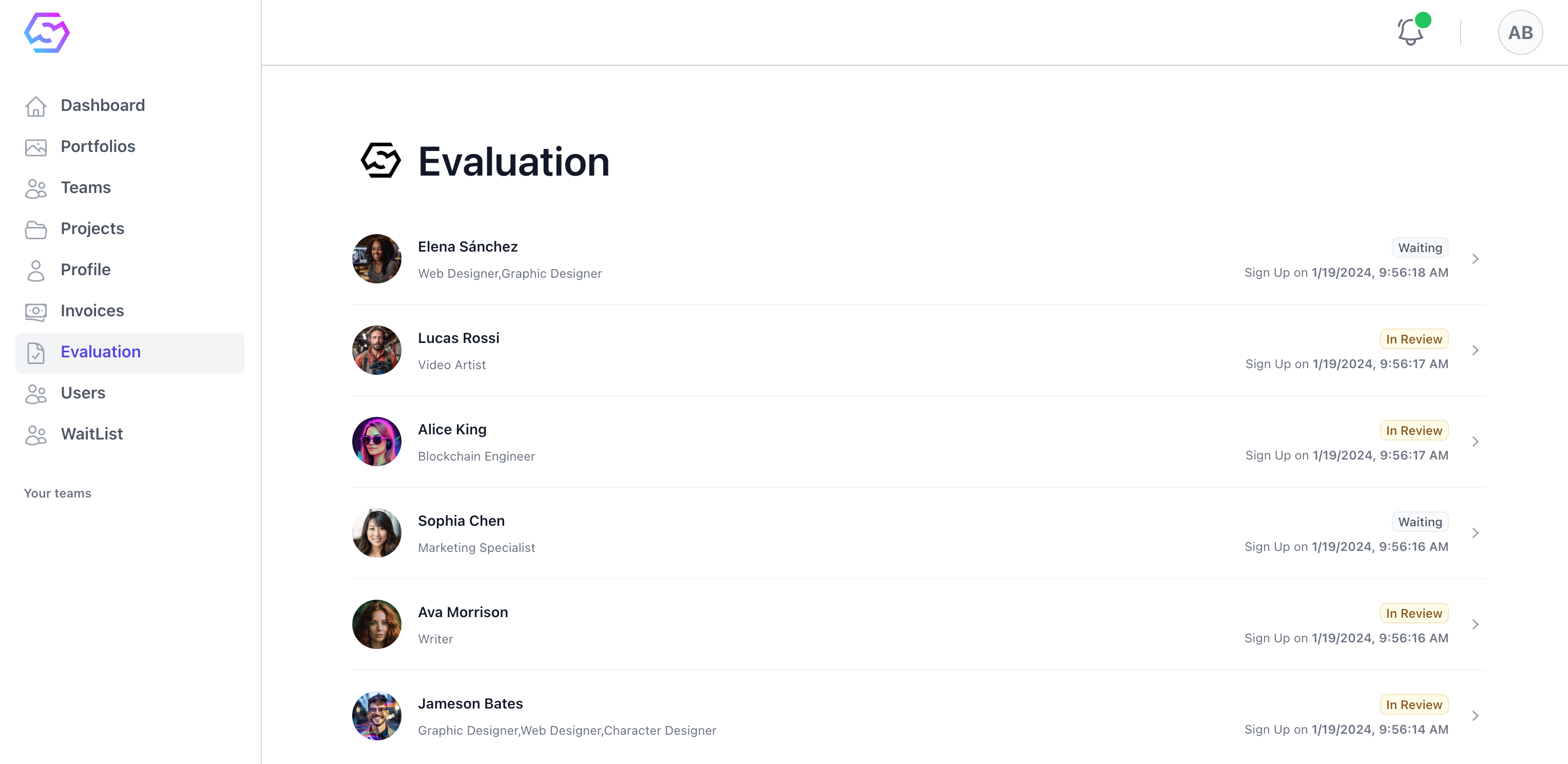
Evaluation menu displays a list of creators awaiting review.
Waitingstatus indicates that the vetting process has not yet started for that creatorIn Reviewstatus indicates that the vetting process is currently underway- Creators who have completed the vetting process will no longer appear in this list.
Reviewing Creators
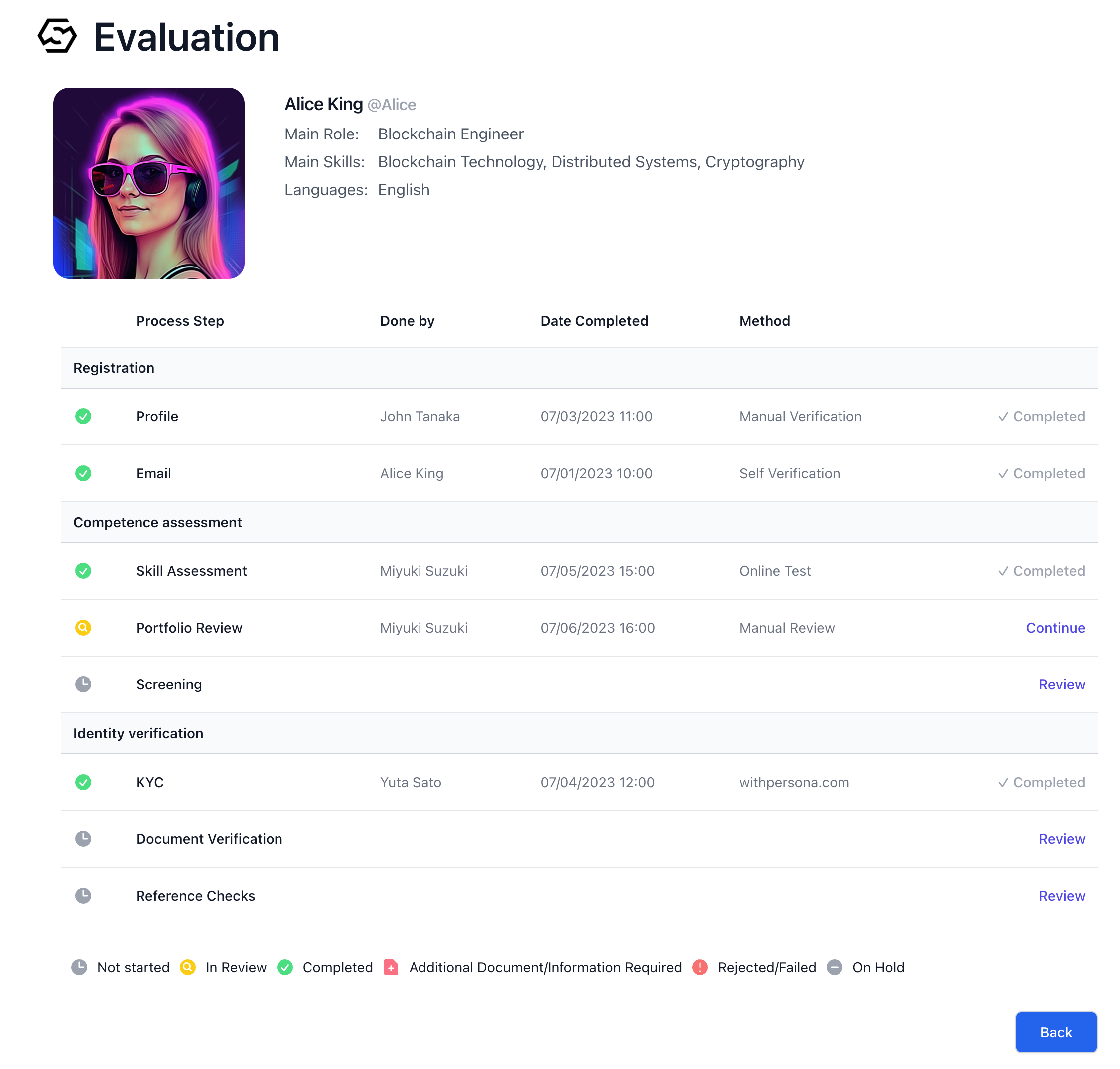
Not started, In Review, Completed, Additional Document/Information Required, Rejected/Failed, and On Hold.
On the right side, links like Review or Continue correspond to vetting items, indicating actions staff can take. Clicking Review begins the evaluation for items not yet started, and Continue resumes the review process for items in progress. Once an item is completed, it will be marked as Completed.
Evaluation Forms
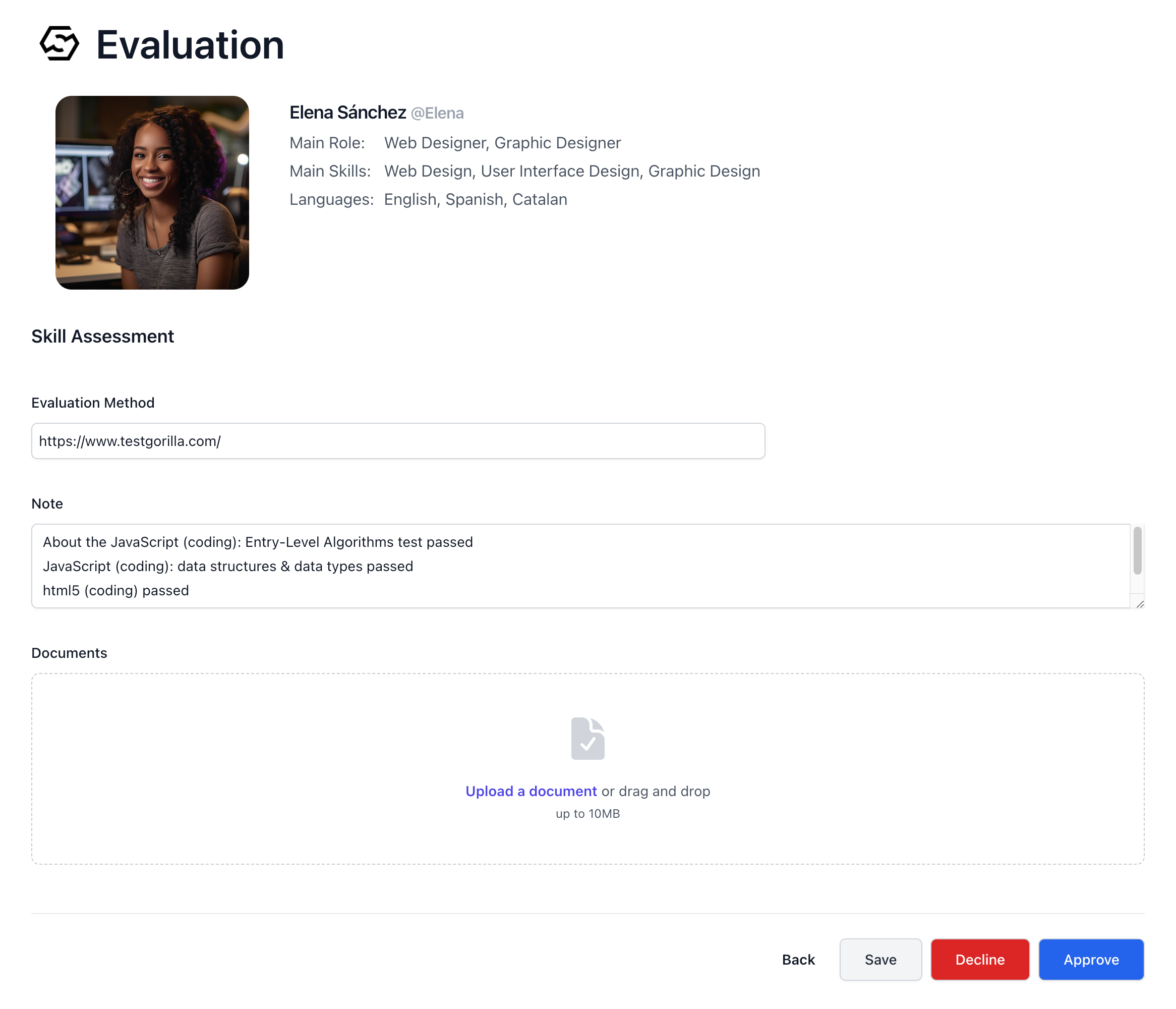
Evaluation Method, Notes, and Document Upload. At the bottom of the form, staff have the options to Cancel, Decline, or Approve based on the assessment outcome. Staff document how they evaluated each item, add notes if necessary, and upload any relevant documents. If the evaluation passes, they click Approve; if not, they click Decline.
Through these meticulous steps, Byodo thoroughly assesses each creator’s capabilities, ensuring a reliable and effective match for upcoming projects.